Image SEO Complete Guide: How to Optimize Images for Better Google Rankings
An in-depth, professional guide on Image SEO covering file optimization, next-gen formats, alt text best practices, performance tuning, and Google Images ranking strategies.
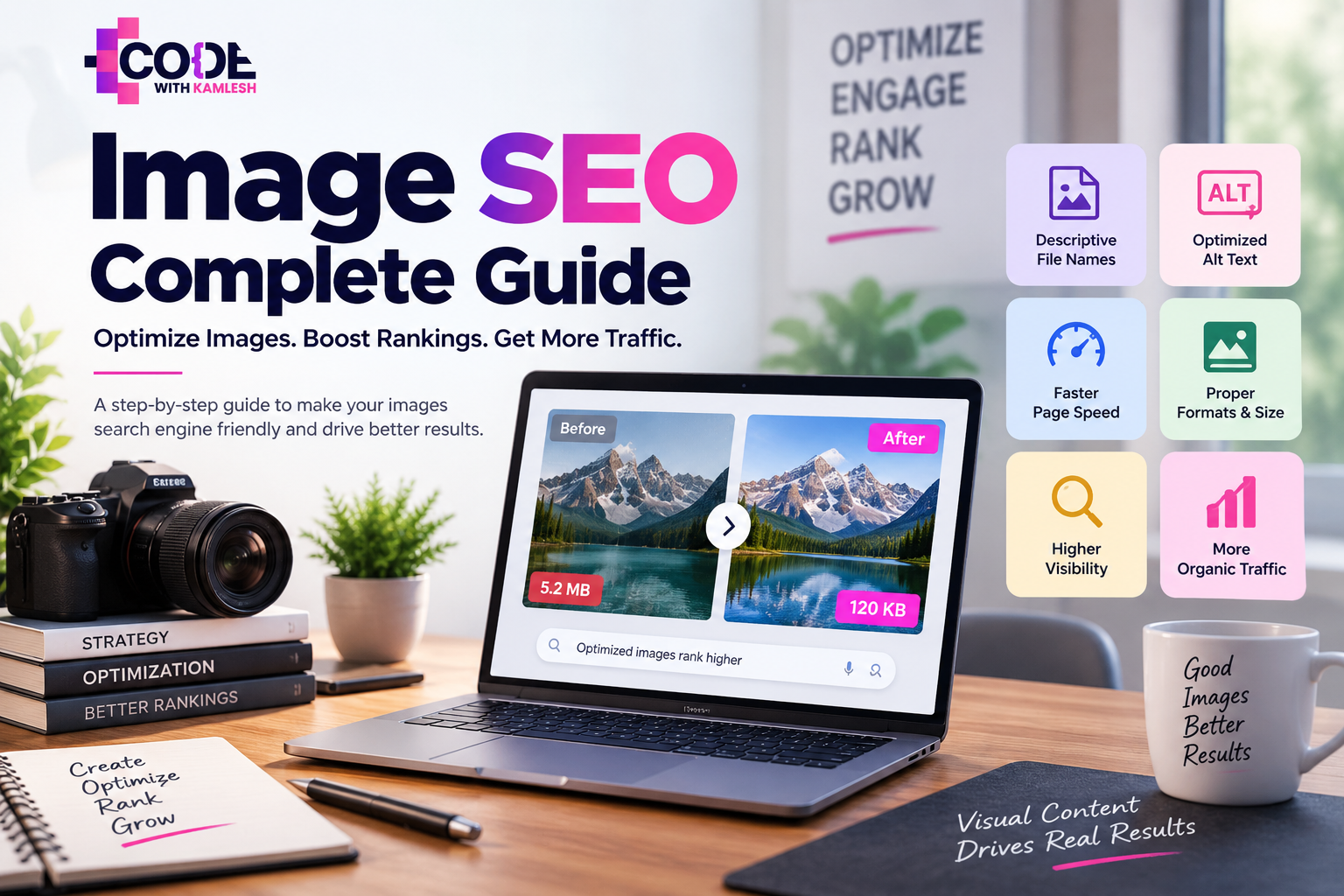
Treating visual assets as an afterthought severely harms both organic visibility and technical performance. Image SEO is not simply a matter of tossing a few words into an alt text field and hoping for the best. It requires a holistic strategy encompassing relevance, accessibility, proper file formats, exact dimensions, aggressive compression, page speed, Core Web Vitals, Google Images visibility, and precise technical implementation. Mastering these elements transforms static visuals into powerful drivers of targeted search traffic.
What Is Image SEO?
Image SEO is the practice of optimizing website images to improve their visibility, relevance, and loading performance in both traditional web search results and Google Images.
Search engines cannot natively "see" visual graphics the way humans do. Instead, crawlers rely on a combination of signals to understand what an image depicts and how it relates to the surrounding text. These signals include:
- Surrounding content: The paragraphs, headings, and captions immediately adjacent to the graphic.
- File names: Descriptive, hyphenated text strings that provide initial contextual clues.
- Alt text: The textual alternative embedded in the HTML code for accessibility and relevance.
- Page context: The overarching thematic authority and topical focus of the hosting URL.
- Structured data: Machine-readable markup that explicitly defines product, recipe, or article imagery.
- Technical signals: Proper file formatting, responsive delivery, and dimensions.
- Image quality and relevance: High-resolution, clear visuals that genuinely answer user intent rather than serving as generic filler.
Why Image SEO Matters
Neglecting visual optimization creates a compounding negative effect on search rankings, user retention, and server performance. Optimizing your graphics unlocks several major benefits.
Google Images Traffic
Millions of users search via Google Images daily to find products, design ideas, tutorials, and informational diagrams. Securing top positions in these visual results drives substantial referral traffic that traditional text rankings might miss.
Organic Visibility and Page Context
Search engines crawl your entire page ecosystem. Optimizing your visuals reinforces the topical relevance of your text content, helping search engines understand your core expertise and rank your pages higher in standard web search results.
Page Speed and Website Performance
Unoptimized images represent the single largest contributor to bloated page weight. Heavy files drag down load times, frustrating users and causing high bounce rates before the content even renders.
Accessibility and Compliance
Screen readers rely on alt text to describe visual elements to visually impaired visitors. Proper accessibility ensures compliance with modern web standards and opens your content to a wider audience.
Core Web Vitals and User Experience
Modern search algorithms heavily favor pages that load instantly and remain stable during rendering. Properly sized graphics prevent jarring layout shifts, directly supporting Core Web Vitals metrics like Largest Contentful Paint and Cumulative Layout Shift.
How Google Understands Images
Google understands images by analyzing a combination of on-page signals, file metadata, and surrounding textual context.
When a crawler encounters an <img> tag, it reads the source file name, evaluates the alt attribute, and analyzes the immediate textual environment. If an image sits inside a product review of a specialized espresso machine, Google's algorithms cross-reference the surrounding sentences, headings, and anchor links to confirm whether the visual actually depicts that specific espresso machine. Context is king; an isolated image with no surrounding text or proper markup forces search engines to guess its purpose, usually resulting in poor visibility.
Choose the Right Image for the Page
Image optimization starts long before editing software or code implementation. Selecting the right visual sets the foundation for both user engagement and search performance.
Every graphic on your page must serve a clear purpose. Prioritize unique, high-quality, original assets—such as custom product photographs, authentic team snapshots, proprietary charts, or detailed screenshots—over generic, overused stock photos that offer zero unique value to the reader. Avoid unnecessary decorative graphics that add page weight without enriching the content. Most importantly, ensure your visuals directly align with the search intent of the page. If a user searches for an in-depth technical tutorial, a step-by-step annotated screenshot satisfies their intent far better than a vague artistic illustration.
Use SEO-Friendly Image File Names
An image file name is the first technical clue search engines encounter. Leaving files with default camera strings gives crawlers zero context.
- Bad: IMG_98473.jpg, screenshot_2026-06-12.png, dsc_0019.jpg
- Better: image-seo-optimization-guide.jpg, wordpress-speed-optimization-steps.png
Always use lowercase letters, separate words with hyphens instead of underscores or spaces, and keep file names concise yet descriptive. Avoid keyword stuffing by jamming multiple variations into the file name; instead, use a natural phrasing that accurately describes the visual asset.
Write Effective Image Alt Text
Alt text (alternative text) is a written description of an image embedded within the HTML alt attribute.
Image alt text is a crucial HTML attribute used by screen readers to describe visual content to visually impaired users, while also providing search engine crawlers with vital contextual clues to understand the subject matter of an image for SEO and indexing purposes.
When writing alt text, focus on accuracy and clarity. If an image portrays a specific concept, describe it naturally while incorporating relevant keywords only if they fit smoothly.
- Good Alt Text: Alt text field example showing optimized HTML code for an e-commerce product image.
- Bad Alt Text (Keyword Stuffed): image seo best practices optimization guide image seo tips
- Decorative Images: If an image is purely decorative and adds no informational value to the page (such as a background swirl or a structural divider), use an empty alt attribute (alt="") so screen readers skip it.
Image Title Attribute vs Alt Text
Many website managers confuse the image alt attribute with the title attribute, leading to redundant or incorrect implementation.
Feature
Alt Text
Title Attribute
Primary Purpose
Accessibility (screen readers) & SEO context
Tooltip display on hover
Search Engine Impact
High (critical ranking and crawling signal)
Negligible to none for SEO
Where It Appears
In HTML code and when images fail to load
In a small popup box when hovering the mouse
You do not need to duplicate your alt text inside the title attribute. In most cases, omitting the title attribute entirely is completely fine, as modern user interfaces rely on direct visual interaction rather than hover tooltips.
Choose the Best Image File Format
Selecting the correct file format balances visual fidelity against file size, directly influencing loading speeds and search rankings.
Format
Best Use
Compression
Transparency
SEO/Performance Consideration
JPEG/JPG
Standard photographs, complex color gradients
Lossy
No
Universal browser support; great for general photos
PNG
Graphics requiring crisp edges, text, or transparency
Lossless
Yes
Often creates large files; use only when necessary
WebP
Modern general-use web graphics, photos, and UI elements
Both Lossy & Lossless
Yes
Excellent compression, widely supported across modern browsers
AVIF
Cutting-edge high-performance web graphics
Both Lossy & Lossless
Yes
Superior compression ratios, though older browser support requires fallbacks
SVG
Logos, icons, simple vector illustrations
Lossless (Vector)
Yes
Infinite scalability without quality loss, extremely small file sizes
Prioritize next-gen formats like WebP and AVIF for photographs and complex graphics, reserving SVGs strictly for scalable vector icons and logos.
Compress Images Without Losing Quality
Uploading uncompressed images is one of the fastest ways to destroy a website's performance score.
Compression reduces file weight by eliminating redundant data. Lossless compression shrinks file size without dropping a single pixel of image quality, though its savings are often modest. Lossy compression removes imperceptible visual data, drastically reducing file size while maintaining a sharp appearance. Finding the sweet spot between visual fidelity and small file size is essential. Before uploading raw files exported from design software, run them through compression workflows to strip out unnecessary metadata and optimize color profiles.
Resize Images Before Uploading
A common technical error is uploading a 4000-pixel-wide photograph captured on a professional camera when the website's content column only displays it at a maximum width of 800 pixels.
Browsers forced to scale down massive images on the fly waste processing power and delay rendering. Always resize your visual assets to their exact maximum rendered dimensions before uploading them to your content management system. Matching intrinsic dimensions (the actual pixel width of the file) with rendered dimensions (how large it appears in the browser) saves critical kilobytes and keeps page performance fast.
Use Responsive Images
Users access websites across an immense variety of screens, from high-density mobile displays to expansive desktop monitors. Serving a massive desktop image to a smartphone wastes cellular data and slows down loading times.
Responsive image delivery solves this by providing different file sizes based on the user's viewport. By utilizing the srcset attribute and sizes descriptor in your HTML, you instruct the browser to choose the most appropriate image size based on the device's resolution and screen width.
HTML
<img src="product-shot-800.webp"
     srcset="product-shot-400.webp 400w,
             product-shot-800.webp 800w,
             product-shot-1200.webp 1200w"
     sizes="(max-width: 600px) 400px, (max-width: 1200px) 800px, 1200px"
     alt="Optimized product shot for responsive e-commerce layout"
     loading="lazy">
Implement Lazy Loading Correctly
Lazy loading defers the loading of off-screen images until the user scrolls down near them, reducing initial page weight and speeding up initial rendering.
Implementing native lazy loading is remarkably straightforward using the HTML attribute loading="lazy". However, a major optimization pitfall is applying lazy loading to above-the-fold assets. Hero images, logos, and LCP (Largest Contentful Paint) elements must never be lazy-loaded. Forcing the browser to wait for JavaScript or scroll triggers to load the main visual at the top of the page harms your LCP score and damages user experience. Reserve lazy loading exclusively for images sitting below the initial viewport fold.
Image SEO and Core Web Vitals
Google’s Core Web Vitals focus heavily on user-centric performance metrics, two of which are directly tied to how websites handle images.
Largest Contentful Paint (LCP)
LCP measures how long it takes for the main content element—often a prominent hero image or banner—to render on screen. Optimizing your LCP image requires aggressive compression, serving modern next-gen formats, avoiding lazy loading on the hero element, and occasionally utilizing fetchpriority="high" or preload headers to tell the browser to download the critical visual immediately.
Cumulative Layout Shift (CLS)
CLS measures visual stability. When a browser loads a page without explicit image dimensions, it doesn't know how much space to reserve for the graphic. As the image finally downloads, surrounding text shifts abruptly downward. Always include explicit width and height attributes in your image tags, or reserve space using CSS aspect ratios, to prevent layout shifts.
Optimize Images for Google Images
Ranking high in Google Images requires a combination of technical hygiene and contextual relevance.
Search engines evaluate your images within the broader ecosystem of your page. To maximize your chances of ranking in image search results, ensure your hosting page targets clear informational or transactional queries. Pair your visuals with descriptive file names, accurate alt text, and concise captions where appropriate. Maintain high technical standards by keeping your image URLs crawlable and indexable, ensuring that standard robots.txt rules or meta robots tags do not accidentally block search engine spiders from accessing your media directories.
Create and Optimize an Image Sitemap
An image sitemap helps search engine crawlers discover visual assets that might otherwise be missed through standard HTML link crawling, such as images loaded via JavaScript or stored in deep database directories.
An image sitemap is especially critical for e-commerce stores, photography portfolios, digital publishers, and JavaScript-driven web applications. You can include image extensions directly inside your primary XML sitemap or maintain a dedicated image sitemap. Include tags like <image:image>, <image:loc>, and <image:caption> to give search engines explicit instructions on where to find and index your visual library.
Use Structured Data Where Relevant
Structured data (schema markup) does not magically force an image to rank higher, but it provides explicit machine-readable context that helps search engines display your visuals in rich search results.
Incorporate relevant schema types—such as Product, Recipe, Article, or VideoObject—depending on your website type. Within these schema blocks, explicitly define the image property using a direct URL. This clarifies to search engines exactly which graphic serves as the primary visual representation of your recipe, product, or news article, qualifying your pages for enhanced visual carousels and rich snippets.
Image SEO for E-commerce Websites
E-commerce websites rely entirely on visual assets to drive conversions, making image optimization a core revenue driver.
Online stores must manage hundreds or thousands of product images across multiple angles, color variants, and category pages. Implement a standardized naming convention across your catalog, such as brand-product-name-color.jpg. Ensure every product thumbnail and gallery view features precise alt text reflecting the specific item variation. Optimize product page loading speeds by compressing all catalogue assets, and implement Product structured data to ensure Google displays your merchandise imagery directly in shopping search results.
Image WordPress Optimization
WordPress powers a massive portion of the web, making efficient media management essential for site performance.
When you upload an image to the WordPress media library, core WordPress automatically generates multiple thumbnail sizes for different theme layouts. While convenient, this can quickly bloat your server storage with unused image variants. Choose a lightweight theme and configure your media settings carefully. Utilize reputable performance plugins or server-level configurations to automatically convert uploads into WebP or AVIF formats, compress files upon upload, and enable native lazy loading without relying on bloated, multi-plugin setups that slow down your database.
Image CDN and Performance Optimization
An Image Content Delivery Network (CDN) is a specialized server network designed to store, process, and deliver visual assets rapidly based on the user's geographic location.
Image CDNs automatically handle heavy lifting such as on-the-fly resizing, format conversion, aggressive compression, and responsive delivery. By offloading image processing to a dedicated CDN, you reduce server load and ensure lightning-fast asset delivery worldwide. However, a CDN does not replace fundamental Image SEO practices; you still need descriptive file names, accurate alt text, and proper semantic HTML on your pages.
Common Image SEO Mistakes
Avoiding common pitfalls saves you from wasted traffic and poor performance metrics.
- Uploading huge raw files: Publishing multi-megabyte images straight from cameras or stock sites.
- Leaving default file names: Using cryptic strings like IMG_4382.jpg.
- Missing alt attributes: Forgetting to add alt text, leaving visually impaired users and crawlers in the dark.
- Keyword-stuffed alt text: Cramming unnatural lists of keywords into the alt tag.
- Using duplicate alt text: Applying the exact same alt description across dozens of different product images.
- Unnecessary PNG files: Using heavy PNG formats for standard photographs instead of JPEGs or WebPs.
- Lazy-loading hero images: Applying loading="lazy" to above-the-fold LCP elements.
- Blocking image crawling: Accidentally disallowing image folders in your robots.txt file.
- Ignoring mobile performance: Serving massive desktop graphics to mobile users on slower connections.
- Omitting dimensions: Failing to specify width and height attributes, causing disruptive layout shifts.
Image SEO Checklist
Run through this practical checklist before publishing any new page or post:
- Confirm the image is relevant and directly supports the page's search intent.
- Rename the file using descriptive, hyphenated lowercase words.
- Compress the image file to minimize weight without sacrificing visual quality.
- Resize the image dimensions to match its maximum rendered display size.
- Convert the file into a modern next-gen format (WebP or AVIF) where supported.
- Write accurate, descriptive alt text for accessibility and search context.
- Ensure decorative images use empty alt attributes (alt="").
- Add explicit width and height attributes (or CSS aspect ratios) to prevent layout shifts.
- Implement native lazy loading (loading="lazy") for all below-the-fold images.
- Verify that above-the-fold hero or LCP images are not lazy-loaded.
- Check that responsive srcset attributes are utilized for multi-device delivery.
- Include relevant structured data (Product, Article, Recipe) where applicable.
- Confirm that image directories are fully crawlable and indexed in your sitemap.
How to Audit Image SEO
Auditing an existing website requires a systematic approach to uncover performance bottlenecks and missed optimization opportunities.
- Find oversized images: Run your URLs through tools like Google PageSpeed Insights or web performance scanners to identify files exceeding recommended weight thresholds.
- Review image formats: Check whether legacy formats like unoptimized PNGs or massive JPEGs can be converted to WebP or AVIF.
- Check missing alt text: Use accessibility auditing tools or SEO crawlers to flag images lacking alt attributes.
- Inspect file names: Scan your media library for default camera strings and generic naming conventions.
- Check responsive delivery: Test how images scale across mobile and desktop viewports.
- Identify LCP images: Determine which visual asset serves as the Largest Contentful Paint element and verify its loading priority.
- Check lazy loading implementation: Ensure critical above-the-fold elements load immediately while lower assets lazy load.
- Review image indexability: Inspect Google Search Console to check your image search impressions and verify that no media folders are blocked by robots.txt.
- Inspect image sitemaps: Confirm your XML sitemap properly lists media assets for search engine crawlers.
- Measure improvements: Document your baseline performance metrics before rolling out optimizations to track improvements over time.
Measuring Image SEO Performance
Tracking the impact of your optimization efforts proves the value of technical Image SEO and guides future improvements.
Monitor your metrics using Google Search Console to evaluate organic impressions, clicks, and average positions specifically within Google Images search filters. Keep a close eye on your Core Web Vitals reports in Google PageSpeed Insights to verify that reducing image weight successfully improved your Largest Contentful Paint and Cumulative Layout Shift scores. Additionally, observe overall page weight reductions and monitor user engagement metrics like bounce rate and session duration to see how faster loading speeds translate into a better user experience.
Advanced Image SEO Tips
Take your optimization strategy to the next level with these advanced technical considerations.
- Maintain stable image URLs over time to preserve accumulated ranking authority; avoid changing file paths during minor site redesigns.
- Utilize descriptive, logically structured image folder paths (e.g., /images/products/coffee-makers/) when organizing large media libraries.
- Preload critical hero images in your HTML <head> using <link rel="preload" as="image" href="..." /> to give browser resource fetchers an immediate head start.
- Leverage fetchpriority="high" on your primary LCP visual asset to instruct the browser to prioritize its download over non-essential scripts.
- Test actual mobile performance on constrained cellular networks rather than relying solely on high-speed desktop testing environments.
Image SEO FAQs
Does image alt text improve SEO?
Yes. Alt text provides search engine crawlers with direct textual context explaining what an image depicts, helping them rank the image in Google Images and reinforcing the topical relevance of the hosting page.
What is the best image format for SEO?
WebP and AVIF are generally considered the best formats for SEO because they offer superior compression ratios while maintaining exceptional visual quality and fast loading times across modern browsers.
Is WebP better than JPEG for SEO?
Yes, WebP is typically better than JPEG because it provides smaller file sizes at comparable quality levels, directly contributing to faster page speeds and improved Core Web Vitals scores.
Does Google index WebP and AVIF images?
Yes, Google fully supports crawling, indexing, and ranking both WebP and AVIF image formats in Google Images search results.
How large should website images be?
File sizes should ideally be kept under 100 KB whenever possible, and their pixel dimensions should match the exact maximum width and height at which they are displayed on the page.
Should every image have alt text?
Every informative image must have descriptive alt text. However, purely decorative images should use an empty alt attribute (alt="") so screen readers ignore them.
Does the image file name affect SEO?
Yes. Descriptive, hyphenated file names give search engines immediate contextual clues about the visual content before they even parse the surrounding text.
Can images rank separately in Google Images?
Yes. Images can rank independently in Google Images search results, driving standalone visual search traffic directly to your website.
Is lazy loading good for Image SEO?
Lazy loading is excellent for SEO when applied to below-the-fold images, as it reduces initial page weight and improves performance metrics. However, lazy loading above-the-fold hero images harms LCP and hurts SEO.
How can I check whether Google has indexed my images?
You can monitor your visual search performance and indexing status by reviewing the Performance report in Google Search Console and filtering by the "Image" search type.
Conclusion
Successful Image SEO is not a single quick fix; it is an ongoing discipline that bridges technical web performance, accessibility standards, and content relevance. When you combine clean, descriptive file naming and precise alt text with modern next-gen file formats, aggressive compression, responsive delivery, and proper Core Web Vitals management, your visual assets transform from performance liabilities into powerful growth engines. Treat your images with the same strategic care as your written copy, and you will unlock sustainable gains in search visibility, user engagement, and organic traffic.
© 2026 codewithkamlesh. All rights reserved.
Kamlesh Singad
Founder, Code With Kamlesh. Helped 200+ businesses scale through SEO, Google Ads & Social Media. 8+ years of digital marketing experience.
Comments (0)
No comments yet. Be the first to comment!