On-Page SEO: Complete Optimization Guide
Learn how to optimize your web pages for Google. This complete on-page SEO guide covers search intent, content optimization, HTML tags, URLs, and site architecture.
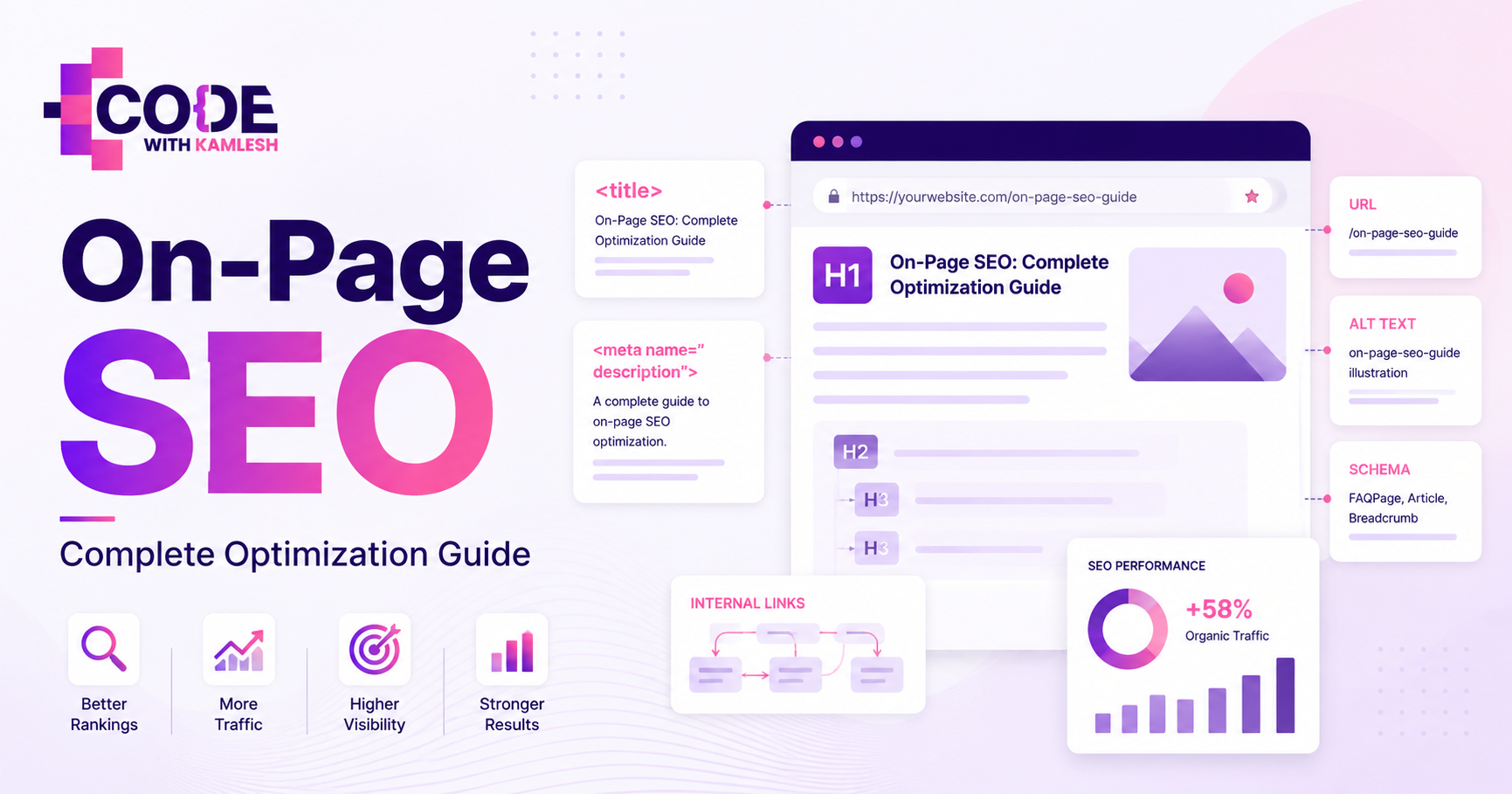
A website can feature exceptional design, fast hosting, and a healthy backlink profile, yet still struggle to secure visibility on search engine results pages. In many cases, individual pages underperform simply because their foundational on-page elements send mixed or incomplete signals to search crawlers.
Effective on-page SEO bridges the gap between what you publish and how search algorithms interpret it. It ensures search engines understand precisely what a page covers, which queries it answers, how authoritative and helpful it is for readers, and how it connects to the rest of your domain.
On-page optimization has evolved far beyond dropping keywords into headings or reaching an arbitrary word count. Today, search engines evaluate search intent alignment, topical depth, page structure, internal link equity, media optimization, and user experience signals. When these elements operate together cohesively, search engines can evaluate your content accurately, and visitors find the exact answers or solutions they sought.
What Is On-Page SEO?
On-page SEO (also referred to as on-site SEO) is the practice of optimizing individual web page elements—both visible content and underlying HTML source code—to improve search engine visibility and earn relevant organic traffic.
It is called "on-page" because every change happens directly within the boundaries of the specific page you want to rank. Unlike external factors such as brand mentions or earned backlinks, on-page elements remain under the direct control of the website owner and editorial team.
On-page optimization operates across two closely related layers:
- Content Optimization: Refining the written copy, visual media, structural clarity, and topical depth to satisfy user expectations and answer search queries comprehensively.
- Technical Page Optimization: Structuring HTML tags, title tags, meta descriptions, image attributes, schema markup, and internal links so search engine bots can parse the document without friction.
Consider a practical scenario: A digital marketing agency creates a dedicated page for its local search services. If the page is titled "Services," contains a generic 200-word paragraph, and lacks descriptive headings or internal links, search engines cannot determine its primary focus.
By applying proper on-page SEO—updating the title tag to "Local SEO Services," structuring the copy with descriptive subheadings, detailing the core process, optimizing image assets, and linking to relevant case studies—the page clearly communicates its purpose to both Google and prospective clients.
On-Page SEO vs Off-Page SEO vs Technical SEO
Search engine optimization is typically divided into three primary disciplines: on-page SEO, off-page SEO, and technical SEO. While they target different aspects of a website, they function interdependently.
SEO Type
Main Focus
Practical Examples
Website Owner Control
Primary Goal
On-Page SEO
Content relevance, page structure, and HTML signals on a specific URL.
Title tags, meta descriptions, headings, body copy, internal links, image alt attributes.
Direct / Full Control (Edited directly in your CMS or code).
Help search engines and users understand the topic, context, and value of the page.
Off-Page SEO
Building domain authority, trust, and external reputation across the web.
Backlinks, digital PR coverage, brand mentions, guest contributions, directory listings.
Indirect Control (Influenced through outreach, quality content, and relationships).
Prove to search engines that third parties view your website as trustworthy and authoritative.
Technical SEO
Ensuring search engine spiders can crawl, render, and index site architecture efficiently.
XML sitemaps, robots.txt directives, site speed, mobile responsiveness, canonicalization.
Direct / High Control (Managed via server configuration, site code, and architecture).
Remove indexing bottlenecks so search engines can discover and process pages without technical barriers.
None of these disciplines operates in a vacuum. A technically flawless website with thousands of high-authority backlinks will struggle to maintain rankings if the on-page content fails to satisfy search intent. Conversely, a masterfully written article cannot rank if technical barriers prevent search crawlers from rendering the page.
Why Is On-Page SEO Important?
Search engines process billions of queries daily using sophisticated natural language processing and machine learning models. Despite these advancements, algorithms still rely on explicit on-page cues to determine relevance, context, and structural hierarchy.
Investing in systematic on-page optimization delivers several tangible benefits:
- Clear Contextual Relevance: It signals to search engines exactly which topics, entities, and search phrases your page is equipped to address.
- Improved Click-Through Rates (CTR): Compelling, well-structured title tags and meta descriptions make your search snippet stand out in competitive search engine results pages (SERPs).
- Enhanced User Engagement: Clean layout formatting, relevant subheadings, and clear answers reduce bounce rates and increase dwell time by helping visitors find information quickly.
- Efficient Authority Distribution: Strategic internal links pass equity and topical context across your domain, lifting the visibility of associated service or product pages.
- Higher Conversion Rates: Aligning a page's layout and content with the searcher's intent removes friction, guiding readers toward a clear call to action (CTA).
Optimizing on-page factors does not guarantee an immediate position at the top of the search results. Search algorithms evaluate hundreds of ranking signals simultaneously. However, sound on-page optimization ensures that your content is thoroughly understood, correctly categorized, and given the best possible opportunity to compete for top positions.
Understand Search Intent Before Optimizing a Page
Every successful on-page optimization project begins by determining the search intent behind the target query. Search intent (also called user intent) represents the primary objective a person has when entering a phrase into a search engine.
If your page format does not align with what the searcher expects to find, even high-quality writing and extensive keyword placement will fail to rank sustainably.
Before drafting or optimizing content, explore our detailed Search Intent in SEO Guide to understand how intent classification dictates modern SERP layouts.
Search intent generally falls into four core categories:
                               ┌────────────────────────┐
                               │     Search Intent      │
                               └───────────┬────────────┘
         ┌──────────────────┬──────────────┴──────────────┬──────────────────┐
         ▼                  ▼                             ▼                  ▼
  ┌──────────────┐   ┌──────────────┐              ┌──────────────┐   ┌──────────────┐
  │Informational │   │  Commercial  │              │Transactional │   │ Navigational │
  ├──────────────┤   ├──────────────┤              ├──────────────┤   ├──────────────┤
  │ "what is     │   │ "best SEO    │              │ "buy ahrefs  │   │ "semrush     │
  │  on-page SEO"│   │  tools"      │              │  plan"       │   │  login"      │
  └──────────────┘   └──────────────┘              └──────────────┘   └──────────────┘
- Informational Intent: The searcher wants to learn, research, or troubleshoot. They are looking for clear answers, comprehensive guides, tutorials, or definitions (e.g., "what is on-page SEO" or "how to fix 404 errors").
- Commercial Investigation: The user is comparing options, reading reviews, or evaluating solutions before making a final decision (e.g., "best SEO tools for small business" or "Ahrefs vs Semrush").
- Transactional Intent: The searcher is ready to purchase, book a service, or download software (e.g., "buy rank tracking software" or "hire SEO consultant in Indore").
- Navigational Intent: The user wants to find a specific website or branded page (e.g., "Google Search Console login").
Analyzing the SERP to Determine Intent
To confirm the dominant intent for any target query, inspect the live search results:
- Search for your target keyword in an incognito window.
- Observe the formats ranking in the top five organic positions. Are they long-form blog articles, e-commerce product listings, agency landing pages, or software comparison tables?
- Review the SERP features present. Are there Featured Snippets, People Also Ask boxes, or Local Map Packs?
If the top results for a query are all transactional service pages, publishing an informational 3,000-word blog post will rarely succeed for that specific term. Align your page type, format, and depth with the clear patterns established in the search results.
Choose the Right Primary and Secondary Keywords
Keyword research provides the structural framework for on-page SEO. However, modern search optimization focuses on comprehensive topic coverage rather than isolated keyword repetition.
When organizing a page, establish a clear keyword hierarchy:
- Primary Keyword: The main phrase representing the core subject of the page (e.g., "on-page SEO"). This term receives top priority in critical HTML tags and main headings.
- Secondary Keywords: Supporting phrases, synonyms, and sub-topics directly related to the main theme (e.g., "on-page SEO factors", "how to do on-page SEO", "website page optimization").
- Semantic & Long-Tail Variations: Specific, conversational questions and related entities that naturally round out the subject (e.g., "optimizing title tags for click-through rate", "internal linking best practices for blog posts").
For a complete framework on identifying high-value search phrases and grouping them into topical themes, review our practical Keyword Research Guide.
Practical Example: Keyword Mapping for a Local Page
When optimizing a page for a local service—such as "SEO company in Indore"—avoid repeating that exact string unnaturally throughout the text. Instead, integrate supporting variations that reinforce the central topic:
- Primary Focus: SEO company in Indore
- Supporting Variations: SEO agency in Indore, local SEO services Indore, search engine optimization consultant Indore, digital marketing services in Indore
By weaving these variations into relevant sub-topics (such as describing local campaign audits, technical fixes, and regional citation building), you create comprehensive content that addresses multiple related searches naturally.
Optimize Your SEO Title Tag
The title tag (<title>) is an HTML element that specifies the title of a web page. It serves as the primary clickable headline in search engine results and appears at the top of browser tabs.
HTML
<title>On-Page SEO: Complete Optimization Guide for Higher Rankings</title>
Title tags remain one of the strongest direct on-page signals for search engines. They also directly influence your organic click-through rate (CTR).
Best Practices for Title Tag Optimization
- Place Primary Keywords Strategically: Position your primary keyword near the beginning of the title tag when possible, while keeping the phrasing natural.
- Keep Length Between 50–60 Characters: Search engines typically truncate title tags that exceed 600 pixels in display width (roughly 55 to 60 characters).
- Write for the User First: Avoid robotic strings of keywords. Write an accurate, descriptive summary of what the reader will gain from visiting the page.
- Maintain Uniqueness: Every indexable page on your site must have a unique title tag to prevent duplicate content ambiguity.
Poor Title:
Home | Best Services | Quality Marketing Company

Better Title:
Digital Marketing Services in Indore | Full-Service Agency
Search engines may occasionally rewrite your title tag in search results if the existing tag is too short, keyword-stuffed, or mismatched with the user's specific query. Following official guidelines outlined in Google Search Central documentation helps ensure your defined titles are displayed accurately.
Write Better Meta Descriptions
A meta description is an HTML attribute that provides a brief summary of a page's content. While meta descriptions do not act as direct algorithmic ranking factors, they play a substantial role in driving organic clicks.
HTML
<meta name="description" content="Learn how to optimize your web pages for Google. This complete on-page SEO guide covers search intent, content optimization, HTML tags, and site architecture." />
A well-crafted meta description acts as organic ad copy. It should clearly tell searchers what the page delivers and provide a compelling reason to choose your listing.
Meta Description Best Practices
- Aim for 140–160 Characters: This length ensures the description displays cleanly across both desktop and mobile search viewports without awkward truncation.
- Incorporate Supporting Keywords: When a user's search terms appear in the meta description, search engines frequently display them in bold, drawing visual attention to your result.
- Include an Actionable Benefit: Clarify the takeaway using active verbs (e.g., Learn, Discover, Compare, Download, Read).
- Avoid Duplication: Do not apply identical meta descriptions across multiple URLs.
Poor Meta Description:
We do on-page SEO, off-page SEO, technical SEO, link building, keyword research, and website marketing for all businesses. Call today.

Better Meta Description:
Master on-page SEO with this comprehensive guide. Learn practical techniques to optimize title tags, content structure, internal links, and page experience.
If your written meta description does not sufficiently match a user's niche query, search engines will often generate an automated snippet using relevant sentences directly from your body text.
Create Short and Descriptive URLs
A clean, logical URL structure helps both search engines and visitors understand page hierarchy and context before the page even loads.
Messy URL Structure:
https://example.com/blog/category.php?post_id=98432&sort=alpha

Optimized URL Structure:
https://example.com/on-page-seo-guide/
URL Optimization Best Practices
- Keep It Concise: Short URLs are easier to read, share, copy, and remember.
- Use Hyphens to Separate Words: Standard search engine parsers treat hyphens (-) as word separators, whereas underscores (_) can concatenate words together.
- Include the Primary Target Keyword: Use the core term directly within the slug (e.g., /on-page-seo/).
- Use Lowercase Text: Avoid uppercase characters to prevent accidental duplicate content issues on servers sensitive to case variations.
- Avoid Changing Existing URLs Unnecessarily: If an established page already ranks and attracts traffic, changing its URL risks losing ranking momentum. If a URL update is necessary, always implement a permanent 301 redirect from the old address to the new one.
Use a Clear Heading Structure
HTML headings (<h1> through <h6>) create a logical outline for your document. They break complex topics into scannable, digestible sections for human readers while helping search engines map out the relationship between primary and secondary themes.
Document Heading Hierarchy:

<h1> On-Page SEO: Complete Optimization Guide (One per page)
 ├── <h2> What Is On-Page SEO?
 ├── <h2> Why Is On-Page SEO Important?
 ├── <h2> Key On-Page SEO Factors
 │    ├── <h3> Title Tag and Meta Description Optimization
 │    ├── <h3> Strategic Heading Structure
 │    └── <h3> Image Optimization and Compression
 └── <h2> Complete On-Page SEO Checklist
Heading Best Practices
- Maintain a Single H1 per Page: The <h1> tag should serve as the primary title of the page, clearly stating the central topic.
- Follow a Hierarchical Order: Nest headings logically. Use <h2> tags for major conceptual sections, and <h3> tags for sub-topics within those sections. Avoid jumping randomly from an <h2> to an <h4>.
- Prioritize Readability Over Keywords: Use headings to organize thoughts clearly. Include target keywords and semantic variations only where they fit the context naturally.
Create Content That Fully Satisfies Search Intent
High-ranking pages succeed because they solve the user's problem thoroughly, accurately, and with minimal friction. Word count alone is not a ranking factor; comprehensive utility is. A concise 1,200-word guide that provides actionable solutions will routinely outperform a 4,000-word article filled with generic fluff.
Core Principles of Content Optimization
- Answer the Main Question Early: Avoid burying the core solution beneath long, unrelated introductory paragraphs. Give readers immediate value, then expand into deeper context.
- Provide Practical Depth and Specifics: Replace vague statements with concrete examples, step-by-step breakdowns, and actionable tips.
- Maintain High Readability: Keep paragraphs between two and four sentences. Break up dense blocks of text using bulleted lists, summary tables, and clear visual dividers.
- Ensure Factual Accuracy: Back up technical claims with clear explanations, industry standards, or official documentation.
- Eliminate Redundancy: Review your drafts to remove repetitive phrasing, empty filler sentences, and overlapping sections that dilute the page's core message.
Where Should You Use Keywords?
Modern keyword optimization is about contextual relevance rather than hitting an arbitrary "keyword density" percentage. Search engines use advanced semantic models to understand related concepts, synonyms, and natural phrase associations.
In practice, integrate your primary and secondary keywords into these strategic locations:
- Title Tag: Near the front of the tag to establish immediate topical focus.
- H1 Heading: Within the main visible page headline.
- Opening Section: Within the first 100–150 words to confirm the page's subject matter early.
- H2 and H3 Subheadings: Where relevant to specific sub-topics.
- Body Copy: Integrated naturally across paragraphs to explain concepts clearly.
- URL Slug: Within the permalink for clean structural indexing.
- Image Alt Text: Where it accurately describes the visual asset.
- Internal Anchor Text: In contextual links pointing to the page from other relevant articles.
Avoid Keyword Stuffing:
"Our on-page SEO services offer the best on-page SEO optimization for on-page SEO success. Contact our on-page SEO agency today."

Use Natural Topical Phrasing:
"Our on-page optimization services refine your site's content structure, metadata, and internal architecture to improve organic search performance."
Use Internal Links Strategically
Internal links are hyperlinks that connect one page on your domain to another page on the same domain. They are crucial for establishing site architecture and distributing authority across your content.
                          ┌──────────────────────────┐
                          │   Pillar Guide / Hub     │
                          │      (On-Page SEO)       │
                          └─────────────┬────────────┘
                                        │
           ┌────────────────────────────┼────────────────────────────┐
           ▼                            ▼                            ▼
┌──────────────────────┐     ┌──────────────────────┐     ┌──────────────────────┐
│  Supporting Post 1   │     │  Supporting Post 2   │     │  Supporting Post 3   │
│ (Title Tag Guide)    │     │(Internal Link Guide) │     │ (Image SEO Guide)    │
└──────────────────────┘     └──────────────────────┘     └──────────────────────┘
Strategic Benefits of Internal Linking
- Facilitates Crawling and Indexing: Search engine crawlers follow links to discover new and updated pages.
- Distributes Page Authority (PageRank): High-performing pages with strong external link profiles can share authority with newer or deeper pages via contextual internal links.
- Builds Topic Clusters: Grouping related articles together through mutual internal links signals topical authority to search engines.
- Prevents Orphan Pages: Every indexable page on your site should be accessible via at least one internal link so crawlers and visitors can find it.
Best Practices for Anchor Text
Use descriptive, relevant anchor text that clearly indicates what the linked page covers. Avoid generic phrasing like "click here" or "read more," and avoid over-optimizing with identical exact-match anchor text across every single link.
Weak Anchor Text:
To learn about technical site audits, click here.

Descriptive Anchor Text:
Review our technical SEO audit checklist to diagnose crawling and indexing issues.
Link to Authoritative Sources When Helpful
External links point from your domain to external websites. When used thoughtfully, linking out to reputable, authoritative resources improves the overall helpfulness of your content.
Citing official documentation, primary research studies, or industry benchmarks shows readers and search engines that your claims are grounded in verifiable facts.
External Linking Guidelines
- Link Only to Trustworthy Sources: Reference recognized industry publications, university research, government databases, or official platform documentation.
- Add Links for the Reader's Benefit: Link externally when a concept warrants further reading or requires verification that falls outside the scope of your article.
- Avoid Unnecessary Links: Do not scatter external links across every paragraph merely to check an arbitrary optimization box. Every outbound link should serve a practical purpose.
Optimize Images for SEO and Performance
Images make content visually engaging and help clarify complex topics. However, unoptimized image files are one of the primary causes of slow page loading times.
Key Image Optimization Practices
- Use Descriptive Filenames: Rename generic camera filenames before uploading. Use short, hyphen-separated descriptions that reflect the image contents.
- Poor: DCIM_00942.jpg
- Optimized: on-page-seo-checklist-diagram.webp
- Write Accurate Alt Text: The alt (alternative text) attribute helps visually impaired users understand image content via screen readers and provides context to search engines when rendering the page. Describe the image accurately without stuffing keywords.
- Poor: alt="SEO best SEO tools on-page SEO checklist"
- Optimized: alt="Diagram illustrating the relationship between title tags, headings, and body copy"
- Compress Image Files: Large images increase page weight. Use modern compression tools to keep image file sizes below 150 KB whenever possible without sacrificing visual clarity.
- Adopt Modern Formats: Serve images in modern web formats like WebP or AVIF, which offer superior compression compared to legacy JPEG or PNG formats.
- Specify Image Dimensions: Always include explicit width and height attributes in your HTML to prevent layout shifts while the page loads.
- Implement Lazy Loading: Use native lazy loading (loading="lazy") for images below the fold so browsers only load them as the user scrolls down the page.
Structure Content for Featured Snippets
Featured Snippets are highlighted answer boxes that appear at the top of Google search results to provide quick, direct answers to common queries.
While you cannot force search engines to award a Featured Snippet, you can structure your content to make it easy for algorithms to extract concise answers.
Common Featured Snippet Formats
- Paragraph Snippets: Provide a clear, direct 40–50 word definition or explanation immediately beneath a relevant <h2> or <h3> heading.
- List Snippets (Numbered or Bulleted): Use ordered lists (<ol>) for sequential procedures, step-by-step guides, or ranked items. Use unordered lists (<ul>) for feature collections or non-sequential tips.
- Table Snippets: Format comparative data, pricing plans, or technical specifications using clean HTML tables (<table>).
Strengthen Experience, Expertise, Authoritativeness, and Trustworthiness
Search engines prioritize content that demonstrates real-world experience, clear expertise, authoritative sourcing, and overall trustworthiness (principles often referred to as E-E-A-T).
Demonstrating content trust is particularly critical for topics that directly affect a reader's health, financial security, or safety.
Actionable Ways to Build Content Trust
- Include Clear Author Bylines: Attribute content to subject matter experts, complete with an author bio, professional background, and links to their published work or social profiles.
- Feature Practical Examples: Share real-world observations, workflows, or realistic scenarios that demonstrate actual familiarity with the topic.
- Provide Transparent Business Details: Ensure your site features an accessible About page, clear Contact information, Privacy Policy, and Terms of Service.
- Keep Content Up to Date: Periodically review important pages to update obsolete facts, refresh broken links, and reflect current industry practices.
Improve Page Experience
A well-optimized page must deliver a smooth, frictionless reading experience. If a page loads slowly, shifts unexpectedly, or bombards users with intrusive elements, visitors will return to the search results, signaling poor satisfaction.
Search engines evaluate page experience using Core Web Vitals—a set of specific performance metrics that measure real-world user experience:
- Largest Contentful Paint (LCP): Measures perceived loading speed. It marks the point in the page load timeline when the primary content has likely loaded (aim for 2.5 seconds or faster).
- Interaction to Next Paint (INP): Measures page responsiveness to user interactions, such as clicking a button or opening a menu (aim for 200 milliseconds or less).
- Cumulative Layout Shift (CLS): Measures visual stability by tracking unexpected layout shifts during page rendering (aim for a score of 0.1 or lower).
You can diagnose and measure your page experience scores using free performance tools like Google PageSpeed Insights.
                       ┌────────────────────────────────┐
                       │     Core Web Vitals Focus      │
                       └───────────────┬────────────────┘
         ┌─────────────────────────────┼─────────────────────────────┐
         ▼                             ▼                             ▼
  ┌──────────────┐              ┌──────────────┐              ┌──────────────┐
  │     LCP      │              │     INP      │              │     CLS      │
  │Loading Speed │              │Responsiveness│              │Visual Shifts │
  │ (≤ 2.5 sec)  │              │  (≤ 200 ms)  │              │   (≤ 0.1)    │
  └──────────────┘              └──────────────┘              └──────────────┘
Beyond technical performance metrics, maintain an accessible reading environment: ensure typography is legible on mobile devices, preserve comfortable line spacing, and avoid aggressive pop-ups that block the main content.
Use Relevant Structured Data
Structured data (schema markup) is a standardized code format added to a web page's HTML to help search engines understand the specific entities, relationships, and context of the content.
Implementing schema markup does not directly boost rankings, but it enables rich snippets in search results—such as star ratings, FAQ accordions, product pricing, and author details—which can substantially improve organic click-through rates.
HTML
<script type="application/ld+json">
{
  "@context": "https://schema.org",
  "@type": "Article",
  "headline": "On-Page SEO: Complete Optimization Guide",
  "description": "A comprehensive guide covering practical on-page SEO techniques, content structure, and technical page signals.",
  "author": {
    "@type": "Person",
    "name": "Editorial Team"
  }
}
</script>
Common Schema Types
- Article / BlogPosting: Specifies the headline, publish date, author, and publisher of editorial content.
- Product: Displays price, availability, and user review ratings for e-commerce listings.
- LocalBusiness: Clarifies physical address, phone number, operating hours, and service areas for regional companies.
- FAQPage: Identifies structured question-and-answer pairs within a single page.
- BreadcrumbList: Clarifies the page's hierarchical position within the broader website structure.
Ensure any structured data implemented mirrors the visible content on the page accurately. Adding hidden schema data that does not match visible text violates search engine guidelines.
Keep Important Pages Updated
On-page SEO is not a one-time setup; it requires regular maintenance. Over time, high-ranking articles can lose visibility as industry terminology shifts, competitors publish fresher insights, and external links decay.
When to Refresh Existing Content
- Declining Traffic: If a historically strong page begins losing impressions in Google Search Console, review the live SERP to see if user intent or competitor formats have changed.
- Outdated Information: Update obsolete statistics, expired tool screenshots, changed interface steps, and broken references.
- Topical Gaps: Add coverage for newly emerging sub-topics or frequently asked questions that searchers have begun asking since the piece was originally published.
Updating the "Last Modified" date on a page without making substantial editorial improvements does not make an article genuinely fresh. Focus on adding tangible value, clarifying
explanations, and improving page accuracy.
On-Page SEO for Local Business Websites
Local businesses require a targeted on-page approach that highlights geographic relevance alongside core services. A plumbing contractor, legal firm, or training institute needs to rank for high-intent searches in specific cities or neighborhoods.
Essential On-Page Elements for Local Pages
- Location-Specific Title Tags and H1s: Include both the primary service and target city naturally (e.g., Digital Marketing Agency in Indore | Full-Service Management).
- Consistent NAP Information: Display the business Name, physical Address, and Phone number consistently in the footer or header across all pages.
- Dedicated Service Pages: Create separate, in-depth pages for each distinct service offered rather than combining everything onto a single, cluttered page.
- Local Context and Proof: Include genuine client testimonials, localized project case studies, and clear details about the specific neighborhoods or regions served.
- Embedded Maps and Local Schema: Implement LocalBusiness structured data detailing geographic coordinates, business hours, and accepted payment methods.
Avoid creating hundreds of thin, automated "doorway pages" that simply swap city names without providing unique, localized value.
On-Page SEO for E-Commerce Websites
E-commerce websites face unique on-page challenges, including large inventories, dynamic faceted navigation, and manufacturer-supplied product descriptions.
Optimizing Category (PLP) vs Product (PDP) Pages
Feature
Category Pages (PLPs)
Product Pages (PDPs)
Primary Intent
Commercial investigation / Broad browsing.
High transactional intent / Immediate purchase.
Title Tag Focus
Broad category keyword + Modifiers (e.g., Men's Running Shoes - Lightweight & Trail Models).
Specific product name + SKU/Model + Brand (e.g., Apex Airflow Men's Running Shoes - Size 10).
Content Structure
Introductory category overview, faceted product grid, buying guide notes, and category FAQs.
High-resolution image galleries, detailed specifications, original product descriptions, customer reviews.
Schema Markup
CollectionPage, BreadcrumbList.
Product, Offer (Price, Availability), AggregateRating.
Internal Linking
Links down to top-selling products and sideways to related sub-categories.
Links up to parent category, links to complementary accessories, and related products.
Addressing E-Commerce On-Page Pitfalls
- Avoid Manufacturer Descriptions: Rewrite stock manufacturer copy to provide original descriptions, sizing advice, and practical product benefits.
- Manage Faceted Navigation: Use canonical tags or noindex directives on filtered search result pages (e.g., sorting by price or color) to prevent duplicate content bloat.
- Showcase Genuine Customer Reviews: Enable customer review markup to earn star ratings in search snippets.
Common On-Page SEO Mistakes
Even experienced website owners occasionally make basic optimization errors that hinder organic growth. Below are twelve common on-page mistakes and how to fix them.
Common On-Page SEO Pitfalls:
 ├── 1. Keyword Stuffing               ├── 7. Poor Internal Linking
 ├── 2. Keyword Cannibalization        ├── 8. Thin Content
 ├── 3. Duplicate Title Tags           ├── 9. Unoptimized Images
 ├── 4. Missing / Weak H1 Tags         ├── 10. Slow Page Speeds
 ├── 5. Writing for Bots Over Users    ├── 11. Poor Mobile Usability
 └── 6. Ignoring Search Intent         └── 12. Over-Optimized Anchor Text
- Keyword Stuffing: Artificially forcing search terms into every paragraph disrupts readability. Focus on clear, natural explanations and semantic variations instead.
- Keyword Cannibalization: Multiple pages targeting identical search intent can split authority and confuse search engines. Consolidate overlapping articles into a single authoritative resource.
- Duplicate Title Tags: Using identical titles across multiple URLs prevents search engines from distinguishing page topics. Ensure every page has a unique, descriptive title.
- Missing or Multiple H1 Tags: Omitting the <h1> tag leaves the document without a clear topic anchor, while using several H1s can confuse structural hierarchy. Use exactly one clear <h1> per page.
- Writing for Bots Over Users: Writing unnatural copy solely to target search algorithms results in high bounce rates. Always prioritize clarity, readability, and user experience.
- Ignoring Search Intent: Publishing informational blog posts for queries that demand transactional tools or e-commerce listings prevents pages from ranking sustainably.
- Neglecting Internal Links: Publishing content without linking to it from other relevant pages leaves it orphaned and difficult for search crawlers to find.
- Publishing Thin Content: Surface-level pages that fail to answer basic user questions struggle to compete. Ensure every page offers substantive, actionable value.
- Ignoring Image Assets: Uploading raw, multi-megabyte image files without alt text slows page speed and misses image search visibility. Compress files and write descriptive alt attributes.
- Slow Loading Speeds: Slow servers, uncompressed assets, and excessive scripts frustrate users. Optimize assets and leverage caching to maintain fast load times.
- Poor Mobile Usability: Tiny fonts, unclickable tap targets, and horizontal scrolling ruin the mobile experience. Design with a mobile-first approach.
- Over-Optimizing Anchor Text: Using repetitive, exact-match keywords on every internal link appears unnatural. Vary your anchor text using natural, descriptive phrases.
Complete On-Page SEO Checklist
Use this structured checklist to audit and refine your pages before and after publishing.
Keyword & Search Intent
- Target primary keyword identified and mapped to a single URL.
- Top-ranking SERP results analyzed to confirm search intent format.
- Relevant secondary keywords and semantic questions gathered.
Content Quality & Structure
- Main search query answered directly and thoroughly.
- Content formatted with short paragraphs, lists, and scannable sections.
- Writing is original, accurate, and free of unnecessary filler.
- Clear calls to action (CTAs) guide the reader to the next logical step.
HTML & Metadata
- Unique, descriptive <title> tag created (50–60 characters).
- Primary keyword placed naturally near the front of the title tag.
- Compelling meta description written (140–160 characters).
- Exactly one <h1> tag used for the main page headline.
- Logical heading hierarchy (<h2>, <h3>) applied across all sections.
URLs & Links
- Short, readable URL slug created using lowercase words and hyphens.
- 3–5 contextual internal links added pointing to related resources.
- Important service or pillar pages supported with inbound internal links.
- Relevant, high-authority external sources cited where necessary.
- All links verified to ensure there are no broken (404) destinations.
Images & Media
- Images saved with descriptive, hyphen-separated filenames.
- Accurate, descriptive alt text applied to all informative images.
- Image file sizes compressed (aiming below 150 KB where feasible).
- Modern image formats (WebP/AVIF) and explicit dimensions applied.
Technical & Page Experience
- Page renders smoothly on mobile devices without layout shifts.
- Core Web Vitals (LCP, INP, CLS) perform within recommended thresholds.
- Relevant schema markup (Article, Product, FAQ, LocalBusiness) validated.
- Page is fully indexable (no accidental noindex or canonical errors).
Practical Example: Optimizing a Page Step by Step
To see how these principles come together, let us walk through an optimization plan for a training institute offering professional marketing courses.
- Target Primary Keyword: Digital Marketing Course in Indore
- Target Intent: Commercial / Transactional (Students and professionals looking for practical, local classroom or hybrid training).
Target Page Optimization Plan:

SEO Title:
Digital Marketing Course in Indore | Practical Training Program

Meta Description:
Join our top-rated digital marketing course in Indore. Master SEO, performance marketing, and analytics with hands-on projects. Enroll for upcoming batches.

URL:
https://example.com/digital-marketing-course-indore/

H1:
Digital Marketing Course in Indore with Hands-On Project Training

Key Subheadings (H2s & H3s):
├── <h2> Course Curriculum & Practical Modules
│    ├── <h3> Search Engine Optimization (SEO) Mastery
│    ├── <h3> Performance Marketing & Paid Advertising
│    └── <h3> Web Analytics & Conversion Tracking
├── <h2> Hands-On Projects and Case Studies
├── <h2> Course Duration, Schedule, and Upcoming Batches
├── <h2> Frequently Asked Questions
└── <h2> Book a Free Consultation Session
Why This Page Structure Works
- Explicit Relevance: The title tag, URL, and H1 state the core service and location clearly without keyword stuffing.
- Intent Match: Visitors looking for a training course need to see the curriculum, schedule, duration, and practical methodology immediately.
- Internal Linking: The curriculum sub-sections link directly to detailed guides on specialized topics (such as SEO and paid search).
- Trust Elements: The page includes clear details about hands-on projects, instructor backgrounds, and genuine student feedback.
- Clear Next Step: The page concludes with an accessible registration form and contact details for scheduling an initial orientation.
A Simple On-Page SEO Workflow
When managing content across a website, follow this standardized workflow to optimize pages efficiently:
┌────────────────────────────────────────────────────────┐
│ 1. Keyword & Intent Discovery                          │
│    Identify primary term and analyze SERP competitors. │
└──────────────────────────┬─────────────────────────────┘
                           │
┌──────────────────────────▼─────────────────────────────┐
│ 2. Outline & Content Creation                          │
│    Draft comprehensive content using clear headings.   │
└──────────────────────────┬─────────────────────────────┘
                           │
┌──────────────────────────▼─────────────────────────────┐
│ 3. HTML & Metadata Optimization                        │
│    Craft unique titles, meta descriptions, and URLs.   │
└──────────────────────────┬─────────────────────────────┘
                           │
┌──────────────────────────▼─────────────────────────────┐
│ 4. Media & Linking Integration                         │
│    Compress images, add alt text, and link internally. │
└──────────────────────────┬─────────────────────────────┘
                           │
┌──────────────────────────▼─────────────────────────────┐
│ 5. Technical Review & Publish                          │
│    Check mobile experience, schema markup, and speed.  │
└──────────────────────────┬─────────────────────────────┘
                           │
┌──────────────────────────▼─────────────────────────────┐
│ 6. Performance Tracking & Iteration                    │
│    Monitor queries and CTR in Google Search Console.   │
└────────────────────────────────────────────────────────┘
- Define the Primary Topic: Select one primary keyword and map its corresponding search intent.
- Analyze Top Competitors: Review the top five ranking pages to identify essential sub-topics, average depth, and common structural patterns.
- Draft Structured Copy: Write comprehensive content that answers user questions clearly. Organize sections using logical <h2> and <h3> tags.
- Refine On-Page HTML Elements: Write a concise title tag, an actionable meta description, and a clean URL slug.
- Optimize Media Assets: Compress all screenshots and graphics, save them with descriptive filenames, and add clear alt text.
- Build Internal Links: Link out to 3–5 related articles, and edit older relevant posts on your site to link back to the new URL.
- Validate Technical Setup: Test the URL for mobile responsiveness, Core Web Vitals performance, and valid structured data.
- Publish and Monitor: Submit the URL for indexing via Google Search Console. Review performance metrics after 60–90 days to identify opportunities for further refinement.
Frequently Asked Questions About On-Page SEO
What is On-Page SEO?
On-page SEO is the process of optimizing visible content, structural formatting, internal links, and HTML elements (such as title tags and headings) on a specific web page to improve its visibility and ranking potential in search engine results.
Why is On-Page SEO important?
On-page SEO helps search engines understand the subject matter, context, and quality of your content. Without clear on-page signals, search engine crawlers may fail to determine which queries your page is equipped to answer, limiting your organic reach.
What are the most important On-Page SEO factors?
The most critical on-page factors include matching search intent, writing comprehensive and accurate content, structuring pages with logical headings (<h1>, <h2>), optimizing title tags and meta descriptions, establishing contextual internal links, and ensuring fast, mobile-friendly page performance.
What is the difference between On-Page and Off-Page SEO?
On-page SEO focuses entirely on optimizations made directly within your own website (such as copy, metadata, and site architecture). Off-page SEO refers to actions taken outside your domain to build trust and authority (such as earning high-quality backlinks and digital PR coverage).
How do I optimize a page for SEO?
Start by analyzing the search intent of your target keyword. Draft comprehensive copy that answers the user's primary query, organize your thoughts using clear headings, craft an accurate title tag and meta description, optimize image file sizes and alt attributes, and link to related resources across your domain.
How many keywords should I target on one page?
Focus on one primary keyword representing the core theme of the page, supported by 3 to 8 closely related secondary phrases, synonyms, and natural long-tail questions that expand on the topic without cluttering the copy.
Does keyword density still matter?
Strict keyword density percentages are obsolete. Search engines use natural language processing models to understand overall topical context. Use your main keyword where it fits naturally (such as the title, H1, and introduction), but prioritize readability over arbitrary repetition.
How important are title tags for SEO?
Title tags remain one of the strongest on-page ranking signals. They provide search algorithms with an immediate summary of the page's topic and serve as the main clickable headline in search results, directly impacting your organic click-through rate.
How often should I update On-Page SEO?
Review your high-priority pages every 6 to 12 months, or whenever you notice a decline in organic impressions and traffic. Refresh outdated statistics, expand on newly relevant sub-topics, fix broken links, and refine metadata to maintain competitiveness.
Can On-Page SEO improve rankings without backlinks?
Yes, for low-to-medium competition search queries and specific long-tail keywords, thorough on-page SEO combined with strong technical health can earn high rankings without an extensive backlink profile. However, highly competitive commercial queries typically require both strong on-page optimization and established domain authority.
Final Thoughts on Modern On-Page Optimization
Effective on-page SEO is not a mechanical checklist of arbitrary tasks. It is the discipline of aligning your content with what searchers need and presenting it in a structure that search engines can easily parse, evaluate, and trust.
© 2026 Code with Kamlesh. All rights reserved.
Kamlesh Singad
Founder, Code With Kamlesh. Helped 200+ businesses scale through SEO, Google Ads & Social Media. 8+ years of digital marketing experience.
Comments (0)
No comments yet. Be the first to comment!