SEO-Friendly URL Structure: Complete Guide to URL Optimization for SEO
A complete technical guide to designing clean, SEO-friendly URLs. Learn how to structure slugs, handle parameters and categories, avoid common duplicate content traps, and manage redirects without losing traffic or link equity.
A uniform resource locator, or URL, is fundamentally a digital address that directs web browsers and automated crawlers to a specific document, image, or resource on your server. To an everyday visitor, a URL shows where they currently sit within a website's ecosystem. To search engine bots such as Googlebot or Bingbot, a URL acts as a primary identifier that assists in mapping architecture, establishing topical relationships, determining canonical versions, and managing crawl efficiency.
Web developers and publishers often treat URLs as technical afterthoughts, leaving Content Management Systems (CMS) to autogenerate strings of IDs, dates, and query parameters. Doing so abandons a foundational layer of on-site communication. Establishing a deliberate, SEO-friendly URL structure provides clear contextual cues for search engine algorithms and humans alike, eliminating friction between the discovery of a link and the consumption of the content.
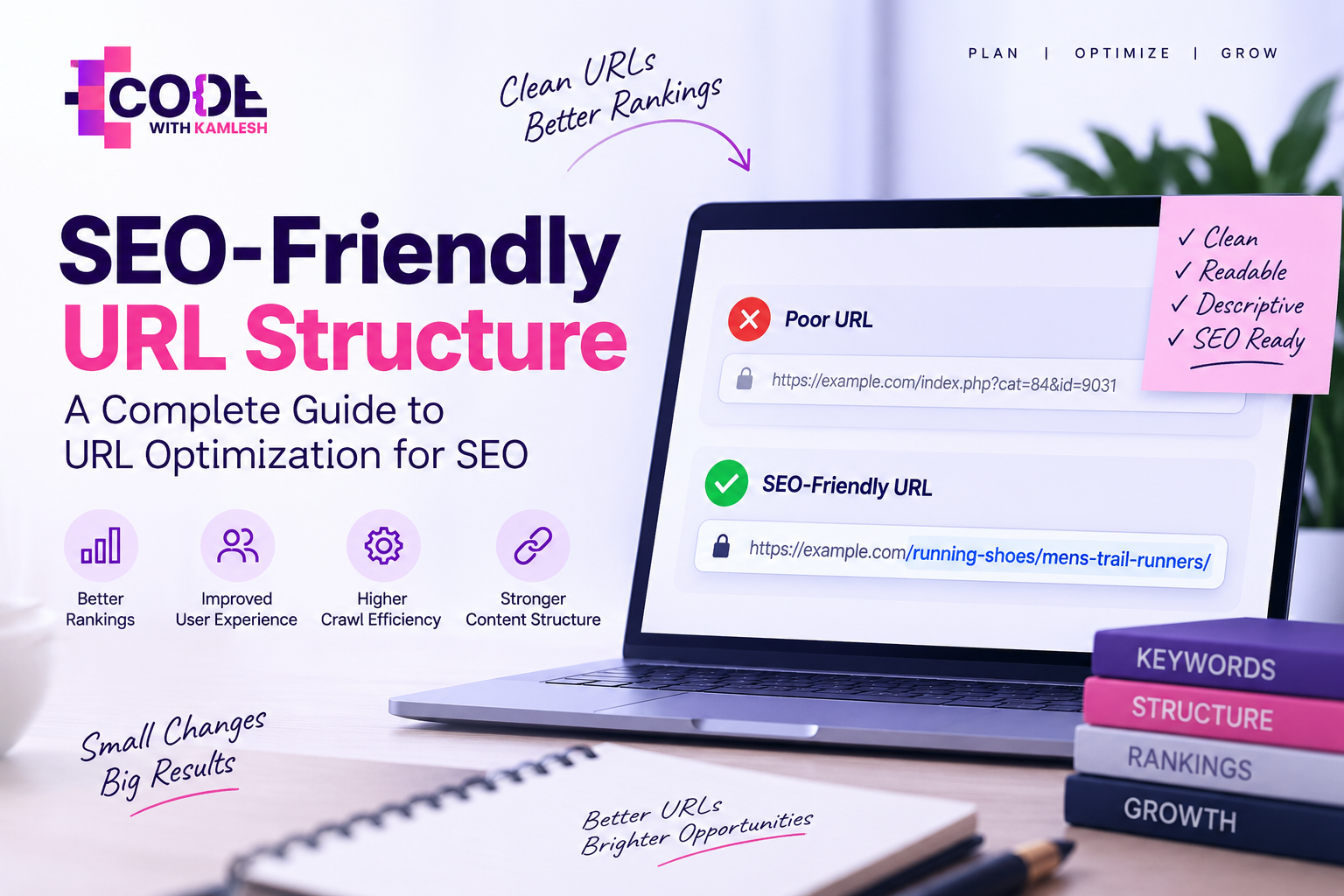
An SEO-friendly URL is a clean, readable web address designed to clearly communicate a page's content, context, and structural location to both users and search engines. It utilizes intelligible words, standard lowercase lettering, and logical hyphenation rather than arbitrary symbols, tracking codes, or complex database parameters.
Consider how readability changes based on structure:
- Poor URL: [https://example.com/index.php?cat=84&id=9031&session=x83kld92&sort=alpha](https://example.com/index.php?cat=84&id=9031&session=x83kld92&sort=alpha)
- Good URL: [https://example.com/running-shoes/mens-trail-runners/](https://example.com/running-shoes/mens-trail-runners/)
The first example forces search engines and users to parse abstract parameters that provide zero semantic hints about the page topic. The second example immediately conveys the subject matter—men's trail running shoes within a running footwear parent category. Search engine crawlers can categorize the page's topical neighborhood before rendering the Document Object Model (DOM), and users can predict the exact destination before clicking.
Why Does URL Structure Matter for SEO?
While URL structure is rarely a singular factor that moves a site from position ten to position one on its own, it functions as a critical foundational signal. It affects multiple stages of technical SEO, including discoverability, canonicalization, click confidence, and indexing.
Search Engine Understanding and Context
Search engine spiders parse page titles, headings, on-page copy, and URL strings to gauge topical relevance. When search engines encounter descriptive words inside a URL slug, those words supply an early relevance signal. While algorithmic weights on URL strings are modest compared to comprehensive content and backlink profiles, descriptive URLs support contextual alignment across your site architecture.
User Experience and Click Confidence
User engagement starts directly in search engine results pages (SERPs), social feeds, emails, and messaging applications. A clean address reassures visitors that the link is safe, legitimate, and aligned with their search intent. When a link appears as a string of random characters, suspicious subdirectories, or nested codes, click confidence deteriorates. Clean URLs inherently earn higher click-through rates because they convey immediate utility.
Crawlability and Indexation Efficiency
Search engines do not possess infinite resources to crawl the web. Every domain has a dynamic crawl budget—the volume and frequency of URLs search engine bots can and want to crawl on a given site. Unchecked parameters, infinite calendar loops, and nested subdirectories generate millions of redundant URLs. A systematic, predictable URL structure prevents crawlers from getting trapped in navigational dead ends, preserving crawl budget for valuable indexable assets.
Website Hierarchy and Content Organization
URLs mirror your broader information architecture. An organized subdirectory setup demonstrates parent-child relationships between concepts. By reviewing a structured URL path, search engines understand that a child page sits logically beneath a core thematic pillar, which assists in clustering content clusters and topical authority.
Anchor Text and Offline Sharing
When users share links across forums, discussion boards, or plain-text documents without custom anchor text, the raw URL serves as the anchor itself. An SEO-friendly address containing descriptive keywords creates descriptive anchor text organically, passing contextual signals to search engines without appearing manipulative.
Anatomy of a URL
Every URL consists of standardized network components governed by internet protocols. Understanding these parts allows you to identify where optimization opportunities lie and where technical bloat enters your structure.
Below is an architectural breakdown of a standard web address:
[https://subdomain.example.com:443/category/subcategory/target-page/?variant=blue#specifications](https://subdomain.example.com:443/category/subcategory/target-page/?
variant=blue#specifications)
- Protocol (https://): The communication standard used to transfer data between the browser and the web server. Hypertext Transfer Protocol Secure (HTTPS) encrypts this data to protect privacy and integrity.
- Subdomain (subdomain.): An optional prefix preceding the primary domain name that designates a distinct administrative or functional partition of a website (for example, blog. or store.).
- Domain Name (example.com): The primary registered network domain, consisting of the website name and the top-level domain (TLD), such as .com, .org, or .net.
- Port (:443): The networking port designated on the server to handle the protocol. For standard web traffic, port 80 handles HTTP and port 443 handles HTTPS. This is almost universally omitted from visible URLs.
- Subdirectory or Path (/category/subcategory/): The folder pathway indicating where the resource lives within the logical hierarchy of the server or CMS routing system.
- Slug (target-page): The unique, page-specific identifier at the end of the URL path that labels the specific asset or document.
- Parameters (?variant=blue): Query strings beginning with a question mark used to pass dynamic data to the server, such as product attributes, filtering rules, sorting criteria, or tracking tags. Multiple parameters are concatenated using ampersands (&).
- Fragment or Anchor (#specifications): A browser-side identifier preceded by a hash symbol that automatically scrolls the viewport to a specific element ID on the rendered page. Fragments are executed client-side and are typically ignored by search engines during document indexing.
What Does an Ideal SEO-Friendly URL Look Like?
An ideal SEO-friendly URL is short, human-readable, secure, lowercase, and logically nested within your site's hierarchy.
Contrast these two scenarios:
- Optimized Target URL: [https://example.com/seo/url-structure/](https://example.com/seo/url-structure/)
- Unoptimized Legacy URL: [https://example.com/index.php?id=5847&category=23&page=seo_url_structure_final&auth=1](https://example.com/index.php?
- id=5847&category=23&page=seo_url_structure_final&auth=1)
The optimized URL tells both the visitor and Googlebot that the page is about url-structure inside the /seo/ category. It uses HTTPS, strips out arbitrary software versions (_final), removes administrative tracking parameters, avoids uppercase characters, and replaces database query variables with human-readable directory structures.
The unoptimized URL requires algorithmic rendering to infer its topic, introduces security-revealing information about server routing (index.php), risks generating duplicate pages if internal parameters shuffle order, and fails to establish an intuitive path for human navigation.
SEO-Friendly URL Structure Best Practices
Applying structured rules across your publishing workflows prevents technical debt from accumulating over time. Review the foundational best practices for building an optimized URL architecture below.
1. Keep URLs Short and Descriptive
Aim for succinctness without sacrificing meaning. Research across millions of ranking pages consistently shows an inverse correlation between extreme URL length and top organic positions. While search engines can process URLs containing thousands of characters, shorter paths are easier to process, remember, share, and display cleanly across SERP snippets. Prune empty filler words, redundant descriptive terms, and deep nesting levels that do not serve topical clarity.
2. Use Relevant Keywords Naturally
Include your primary target keyword or topic phrase in the slug. If your page targets "b2b content marketing strategy," using /b2b-content-marketing-strategy/ reinforces topical relevance immediately. Avoid repeating synonyms or stuffing phrases like /b2b-content-marketing-content-strategy-services/. Keyword stuffing in URLs appears spammy to users, reduces click confidence, and provides zero incremental algorithmic benefit.
3. Use Hyphens to Separate Words
Use hyphens (-) rather than underscores (_), spaces, or camelCase to delineate individual words. Major search engine guidelines explicitly state that algorithms treat hyphens as natural word separators, whereas underscores can sometimes be interpreted as character connectors that merge terms together. For instance, url_structure may be read as a single uninterrupted token (urlstructure), while url-structure is processed cleanly as two distinct words.
4. Avoid Unnecessary Numbers and Dates
Unless you operate a high-volume daily news portal where temporal sequencing is critical to historical discovery, omit dates and dynamic numbers from your URL strings. Publishing a guide at /blog/2024/best-running-shoes/ introduces significant friction when you update the content for 2026. You are forced to either leave an inaccurate year embedded within the URL or execute a 301 redirect to update the path, sacrificing link equity and introducing unnecessary migration risks. Keep the URL evergreen: /blog/best-running-shoes/.
5. Use Lowercase URLs
Web servers running Linux-based distributions treat uppercase and lowercase characters as completely distinct addresses. Therefore:
- [https://example.com/seo-guide/](https://example.com/seo-guide/)
- [https://example.com/SEO-Guide/](https://example.com/SEO-Guide/)
- [https://example.com/seo-Guide/](https://example.com/seo-Guide/)
can be interpreted as three distinct pages, each returning independent HTTP 200 status codes. This splits link metrics and creates duplicate content issues. Enforce global lowercase URL rules via your web server rewrite engine (such as Apache .htaccess or Nginx configuration) or CMS routing logic to automatically normalize incoming requests.
6. Remove Unnecessary Stop Words Selectively
Stop words include common articles, conjunctions, and prepositions such as "a," "the," "and," "or," "of," and "in." Stripping non-essential stop words helps create concise slugs. For example, a post titled "How to Pick the Best Camera for Beginners" can be condensed to /best-cameras-beginners/.
However, do not apply this rule blindly. If removing a stop word destroys the natural syntax or fundamentally alters the meaning of a target search query—such as transforming "how to get out of debt" into /get-debt/—leave the necessary connecting words intact.
7. Enforce HTTPS Across the Entire Domain
Search engines adopted HTTPS as a confirmed ranking signal over a decade ago. Secure sockets layer (SSL) encryption guarantees that visitor interactions cannot be intercepted, modified, or forged between their browser and your host. Mixed content issues, expired certificates, or unencrypted HTTP routes undermine domain trust, display aggressive browser warnings to users, and harm search visibility.
8. Create a Logical URL Hierarchy
A well-structured URL reflects your site's conceptual information architecture. Each directory slash (/) should ideally represent a step down from a broad classification to a specific child document:
- Blog Architecture: [example.com/blog/technical-seo/crawl-budget-optimization/](https://example.com/blog/technical-seo/crawl-budget-optimization/)
- Service Business: [example.com/services/commercial-roofing/inspections/](https://example.com/services/commercial-roofing/inspections/)
- E-Commerce Store: [example.com/womens-apparel/jackets/waterproof-parkas/](https://example.com/womens-apparel/jackets/waterproof-parkas/)
Building this directory progression allows search engines to map content relationships and infer topical authority across parent categories. If you are structuring an enterprise site or building out new landing page hubs, aligning this hierarchy with your broader website architecture ensures seamless crawl paths and consistent indexation.
9. Avoid Keyword Stuffing in URLs
Aggressive keyword repetition in URL strings is an outdated, low-quality tactic. A URL like [example.com/best-running-shoes-running-shoes-for-runners-marathon-running/](https://example.com/best-running-shoes-running-shoes-for-runners-marathon-running/) creates a negative impression on searchers and can trigger algorithmic spam flags. Use only the exact phrase needed to convey the core topic, trusting your on-page body copy to handle topical depth.
10. Avoid Unnecessary URL Parameters
Dynamic query strings (?id=, ?sort=, ?filter=) introduce substantial technical challenges. Parameters often generate near-infinite combinations of the same page content, confusing search engine spiders and diluting link equity. Reserve parameters for non-indexable, internal filtering, sorting, or session handling, and use static, descriptive paths for pages intended to rank in organic search.
11. Keep URLs Stable Over Time
A URL is an asset that accumulates internal links, external backlinks, brand recognition, and historical behavioral data. Changing a URL breaks this historical continuity. Treat URL generation as an immutable design decision. Unless an existing URL is causing critical structural errors or actively harming traffic, leaving an imperfect, established URL alone is nearly always safer than changing it.
12. Avoid Excessively Deep Folder Structures
Deep folder nesting confuses users and lengthens URL strings unnecessarily:
- Excessively Deep: [example.com/resources/articles/2026/marketing/digital/b2b/social-strategy/](https://example.com/resources/articles/2026/marketing/digital/b2b/social-strategy/)
- Streamlined: [example.com/resources/b2b-social-strategy/](https://example.com/resources/b2b-social-strategy/)
Keep your folder path shallow, generally aiming for no more than two or three subdirectories beyond the root domain. This ensures that valuable sub-pages remain structurally close to the home page, which helps internal link equity flow naturally through your architecture.
URL Slug Optimization
The URL slug is the final identifying segment of the URL path that specifies a unique document. It is the component webmasters have the most direct control over on a per-page basis.
Optimizing a slug involves transforming a conversational or headline-driven title into a concentrated, machine-readable string.
Original Headline:
"15 Revolutionary Ways to Improve Your Local Business SEO Fast in 2026"

Step 1: Extract Core Topic:
"local business seo"

Step 2: Add Relevant Modifier:
"local-business-seo-tips"

Step 3: Strip Noise (Numbers, Temporal Markers, Exaggerations):
Remove "15", "Revolutionary", "Ways", "Your", "Fast", "2026"

Final Optimized Slug:
/local-business-seo-tips/
Consider another common scenario:
- Article Title: "How to Create an SEO-Friendly URL Structure for Your Website"
- CMS Autogenerated Slug: /how-to-create-an-seo-friendly-url-structure-for-your-website/
- Optimized Slug: /seo-friendly-url-structure/
The optimized version removes filler verbs and prepositions while keeping the primary search phrase intact. It is easier to read in a SERP snippet, less prone to wrapping in mobile browsers, and gives search crawlers a direct topical signal without noise.
Static URLs vs Dynamic URLs
A static URL points to a fixed resource whose path remains identical regardless of user interactions, such as [example.com/services/web-design/](https://example.com/services/web-design/). A dynamic URL contains variable query strings generated on the fly via database scripts, such as [example.com/products.php?category=12&item=948](https://example.com/products.php?category=12&item=948).
Characteristic
Static URLs
Dynamic URLs
Readability
High; immediately readable by humans and bots
Low; obscured by symbols and database IDs
Click Confidence
High; users can predict the target content
Low; complex strings resemble spam or phishing
Shareability
Clean; easy to copy, paste, and embed
Messy; parameters often get clipped in messaging apps
Crawl Safety
High; distinct paths with clear boundaries
Medium-Low; risks generating spider traps and infinite loops
Duplicate Content Risk
Low; each unique page maintains one static path
High; parameter order changes generate duplicate states
There is an outdated SEO myth that dynamic URLs cannot rank or that Googlebot flatly refuses to index pages with query strings. Google's crawling infrastructure has parsed dynamic parameters for decades. Dynamic parameters are often necessary for complex database filtering, faceted navigation, internal search engines, and tracking tags.
However, static URLs remain the standard for indexable organic landing pages because they prevent duplicate content loops, improve click-through rates, and integrate cleanly into internal linking structures. Dynamic parameters should be reserved for functional interactions, while search-targeted assets should be rewritten into static formats.
URL Structure for Blog Websites
Editorial publications, corporate blogs, and resource centers require structures that balance historical tracking with content longevity.
Here is how three common blog URL conventions compare:
Option A: The Nested Category Structure
[https://example.com/blog/technical-seo/seo-friendly-url-structure/](https://example.com/blog/technical-seo/seo-friendly-url-structure/)
- Advantages: Establishes clear hierarchical nesting. Crawlers recognize that the article sits inside the "technical-seo" cluster, which sits within the parent "blog" hub.
- Disadvantages: If you decide to recategorize the article into "on-page-seo" later, you must execute a 301 redirect or risk broken paths.
Option B: The Flat Blog Subdirectory
[https://example.com/blog/seo-friendly-url-structure/](https://example.com/blog/seo-friendly-url-structure/)
- Advantages: Clean, adaptable, and isolated. You can recategorize content across multiple tags or parent topics within your CMS without altering the underlying URL path. It preserves the /blog/ parent path, making it simple to segment editorial performance in Google Search Console or web analytics.
- Disadvantages: Omits the granular parent category from the URL string.
Option C: The Temporal/Date-Based Structure
[https://example.com/blog/2026/09/11/seo-friendly-url-structure/](https://example.com/blog/2026/09/11/seo-friendly-url-structure/)
- Advantages: Useful for high-volume news publishers whose stories lose immediate relevance within 48 hours and require chronological server archiving.
- Disadvantages: Poor choice for evergreen blogs. Embedding dates immediately ages the content in search results, signaling to searchers that a guide might be obsolete even if the text is continually maintained and updated.
For most non-news publishers, the flat blog subdirectory ([example.com/blog/target-slug/](https://example.com/blog/target-slug/)) provides the best balance of flexibility, stability, and organizational clarity.
URL Structure for E-Commerce Websites
E-commerce websites present complex technical challenges due to faceted navigation, multi-category products, and SKU variations. When an online catalog scales to thousands of items, poor URL architecture can lead to widespread indexation issues.
Site Architecture Level:
Root:             example.com/
Category:         example.com/footwear/
Subcategory:      example.com/footwear/trail-running/
Canonical Product: example.com/products/speedcross-6/
Variant (Non-Index): example.com/products/speedcross-6/?color=blue&size=10
Decoupling Products from Deep Hierarchies
A common structural mistake in e-commerce is nesting products deeply inside specific category paths:
- [example.com/mens/shoes/running/trail/salomon-speedcross-6](https://example.com/mens/shoes/running/trail/salomon-speedcross-6)
- [example.com/brands/salomon/shoes/salomon-speedcross-6](https://example.com/brands/salomon/shoes/salomon-speedcross-6)
- [example.com/sale/footwear/salomon-speedcross-6](https://example.com/sale/footwear/salomon-speedcross-6)
If a single product belongs to multiple categories, this nesting generates three distinct URLs for the exact same physical product. This splits incoming links, creates duplicate content issues, and complicates inventory tracking.
The industry-standard solution is to establish a flat, root-level product directory:
- Canonical Product URL: [example.com/products/salomon-speedcross-6/](https://example.com/products/salomon-speedcross-6/)
- Category Pathways: Categories and subcategories maintain their own hierarchical structures ([example.com/shoes/trail-running/](https://example.com/shoes/trail-running/)), but all internal links on category pages point directly to the root-level product path.
Handling Faceted Navigation and Parameters
Faceted filters—such as sorting by price, brand, color, or shoe size—rely heavily on URL parameters:
[example.com/shoes/trail-running/?size=11&color=red&sort=price_asc](https://example.com/shoes/trail-running/?size=11&color=red&sort=price_asc)
Allowing search engines to crawl every faceted combination can trigger an exponential explosion of low-value, duplicate pages that exhaust your crawl budget. To manage faceted navigation effectively:
- Point self-referential canonical tags on filtered variants back to the clean parent category ([example.com/shoes/trail-running/](https://example.com/shoes/trail-running/)).
- Block indexation of low-search-volume parameter combinations using the noindex robots directive, or manage crawling rules via your robots.txt file.
- Convert high-demand faceted combinations with verified search volume (such as "men's waterproof trail running shoes") into dedicated, static category pages with unique slugs and custom metadata.
URL Structure for Local and Service-Based Websites
Service businesses operating across multiple locations must organize their architecture to highlight geographic relevance without triggering algorithmic spam filters for thin or duplicate landing pages.
A clear parent-child structure maps service lines against service areas cleanly:
Core Service Architecture
- Primary Service Hub: [example.com/services/](https://example.com/services/)
- Individual Service: [example.com/services/air-conditioning-repair/](https://example.com/services/air-conditioning-repair/)
- Specialized Sub-Service: [example.com/services/air-conditioning-repair/emergency-service/](https://example.com/services/air-conditioning-repair/emergency-service/)
Multi-Location Architecture
If your business operates dedicated physical offices or distinct service areas, organize locations systematically:
- Location Hub: [example.com/locations/](https://example.com/locations/)
- Regional Landing Page: [example.com/locations/indore/](https://example.com/locations/indore/)
- Service in Location: [example.com/locations/indore/ac-repair/](https://example.com/locations/indore/ac-repair/)
Avoid generating hundreds of automated, programmatic location pages with identical content where only the city name is swapped out. Search algorithms can classify scalable, repetitive doorway pages as low-quality content. Ensure that every location-specific URL features unique local reviews, genuine staff details, local case studies, and accurate geographical information.
Should You Include Categories in URLs?
Deciding whether to include parent categories in your URL structure requires balancing contextual hierarchy against long-term site maintenance.
The Advantages of Categories
- Contextual Depth: Shows search engines how content is grouped, reinforcing topical depth across specific subject silos.
- Breadcrumb Integration: Simplifies breadcrumb markup and visual UI cues, helping visitors navigate up the site tree.
- Analytics Grouping: Allows you to measure the organic performance of entire content categories inside analytics platforms using simple subdirectory path filters.
The Disadvantages of Categories
- Rigidity: If a page spans two categories, or if you restructure your taxonomy down the road, moving pages requires executing 301 redirects to update their paths.
- URL Bloat: Deep category names make the overall URL string substantially longer, increasing visual clutter in search results.
Use categories when your site covers distinct, non-overlapping product lines or functional silos that are unlikely to change. If your business model frequently shifts or if your content regularly overlaps topics, flat structures provide greater long-term flexibility.
Should You Use Dates in URLs?
Embedding dates (/2026/09/11/) into URLs is a legacy pattern popularized by early CMS platforms such as WordPress, which originally defaulted to chronological blogging setups.
News Publishers vs. Evergreen Resources
- News Media: Publications such as The New York Times rely heavily on date-based URLs because their editorial output is tied directly to the news cycle. For these platforms, dates help differentiate daily dispatches, manage automated server archiving, and convey temporal relevance.
- Evergreen Websites: For educational sites, B2B companies, service providers, and niche blogs, date-based URLs should generally be avoided.
When you publish a comprehensive tutorial at [example.com/2023/04/12/technical-seo-guide/](https://example.com/2023/04/12/technical-seo-guide/), users encountering that link in search results years later will perceive the information as outdated, even if you update the text regularly. Stripping dates creates an evergreen URL ([example.com/technical-seo-guide/](https://example.com/technical-seo-guide/)) that can be updated indefinitely without changing the URL path or breaking historical backlink equity.
URL Parameters and SEO
URL parameters are values appended to a URL after a question mark (?) used to pass data to the server or track user interactions.
https://example.com/shop/laptops/?category=gaming&brand=asus&sort=price_desc&utm_source=newsletter
Parameters fall into two primary categories:
- Functional Parameters: These modify page content directly. They handle on-page filtering, internal sorting, language selection (?lang=fr), pagination (?p=3), or internal site searches.
- Tracking Parameters: These have no impact on page rendering or layout. They exist solely to send attribution data to analytics systems (such as UTM codes: ?utm_source=linkedin&utm_medium=social).
Managing Search Engine Challenges with Parameters
Unmanaged parameters create duplicate content and waste crawl budget. When search engine bots crawl parameterized combinations, they may discover thousands of dynamic URLs delivering essentially identical content in slightly different display orders.
To mitigate parameter issues:
- Ensure that every parameterized URL version contains a canonical tag pointing back to the primary, unparameterized canonical page.
- Use robots.txt disallow rules to prevent search engine spiders from crawling tracking tags or internal search queries (for example: Disallow: /*?*utm_source=* or Disallow: /search/).
- Audit parameter configurations in external documentation, such as the Google Search Central documentation on URL structure, which outlines Google's official recommendations for handling dynamic content and parameter hygiene.
Canonical URLs and Duplicate URL Issues
A canonical tag (rel="canonical") is an HTML link element placed within the <head> section of a webpage that declares the authoritative, master version of that document to search engines.
It tells search engine algorithms: "Even if this page is accessible via multiple URL variations, attribute all ranking signals, PageRank, and link equity to this designated canonical URL."
HTML
<link rel="canonical" href="https://example.com/seo-friendly-url-structure/" />
The Difference Between Canonicalization and 301 Redirects
A 301 redirect physically forwards both users and search engine crawlers from an old URL to a new one, terminating access to the original path. A canonical tag leaves the alternative URL accessible to visitors (which is often necessary for dynamic filtering, sorting, or session tracking) while directing search engine algorithms to consolidate indexing signals onto a single target page.
Common Duplicate URL Scenarios Requiring Canonicalization
- Protocol Duplication: [http://example.com](http://example.com) vs. [https://example.com](https://example.com)
- Host Variations: example.com vs. [www.example.com](https://www.example.com)
- Path Trailing Slashes: [example.com/page](https://example.com/page) vs. [example.com/page/](https://example.com/page/)
- Parameter Combinations: [example.com/shop?color=red](https://example.com/shop?color=red) vs. [example.com/shop?color=red&sort=new](https://example.com/shop?color=red&sort=new)
- Syndicated Content: Articles republished across multiple external domains should feature cross-domain canonical tags pointing back to the original source publication.
HTTP vs. HTTPS URLs
Hypertext Transfer Protocol Secure (HTTPS) is a mandatory baseline for modern websites. HTTPS uses Transport Layer Security (TLS) to encrypt data exchanged between a visitor's browser and the hosting server, protecting sensitive information like login credentials, personal data, and credit card details from interception.
Google confirmed HTTPS as an organic ranking signal back in 2014. Modern web browsers display prominent security warnings when users land on unencrypted HTTP pages, driving up bounce rates and damaging brand credibility. When configuring your URL structure, ensure that all unencrypted HTTP requests automatically redirect to their secure HTTPS counterparts using permanent 301 redirects at the server configuration level.
WWW vs. Non-WWW
A frequent question during initial site architecture planning is whether to choose a www domain ([https://www.example.com](https://www.example.com)) or a non-www domain ([https://example.com](https://example.com)).
From a pure search ranking perspective, neither configuration holds an inherent algorithmic advantage. Google and Bing treat both variations equally.
However, technical infrastructure differences do exist:
- WWW Domains: Larger enterprise networks often use www because it allows for more flexible DNS management. You can point CNAME records to content delivery networks (CDNs) without affecting the apex domain, and you can restrict cookies to your specific subdomain rather than broadcasting them across all parent services.
- Non-WWW Domains: Often referred to as apex or naked domains, non-www addresses are shorter, simpler to remember, and visually cleaner for branding.
The critical technical requirement is consistency. Select one variation as your canonical standard, and implement server-level 301 redirects routing 100% of traffic from the alternative version to your chosen primary domain. Allowing both versions to respond independently splits your link metrics and creates site-wide duplicate content.
Trailing Slash vs. No Trailing Slash
A trailing slash is the forward slash placed at the very end of a URL string:
- Trailing Slash: [https://example.com/seo-guide/](https://example.com/seo-guide/)
- Non-Trailing Slash: [https://example.com/seo-guide](https://example.com/seo-guide)
Historically, web servers used trailing slashes to indicate a directory (a folder containing files), while URLs without a trailing slash indicated an individual file (such as a static .html document). Modern content management systems render pages dynamically from databases, making this distinction largely obsolete from a functional standpoint.
Neither format carries a ranking advantage over the other. However, search engines treat the trailing slash and non-trailing slash versions as two distinct URLs. If your web server responds to both versions with an HTTP 200 status code, you introduce site-wide duplication.
Choose one convention and apply it consistently across your site:
- Configure your web server to 301-redirect requests from the non-preferred format to the preferred format.
- Ensure that all internal links in your templates, menus, and content point directly to your preferred format.
- Match the canonical tag on every page to the preferred format.
- Reference only the preferred URL variation within your XML sitemaps.
URL Redirects and SEO
Redirects are server-level instructions that seamlessly forward users and search crawlers from one URL to another. They are essential tools for managing site migrations, directory reorganizations, and broken content.
301 vs. 302 Redirects
- 301 Permanent Redirect: Indicates to search engines that the requested resource has moved permanently to a new location. Search engine algorithms update their index to reference the target URL and pass historical PageRank and link equity forward.
- 302 Temporary Redirect: Tells search engines that the move is short-term. Crawlers keep the original URL in the search index because they expect the resource to return to its original location, preventing link equity from fully transferring to the temporary target.
Preventing Common Redirect Issues
- Redirect Chains: A redirect chain occurs when a URL routes through multiple intermediary redirects before reaching its final destination (Page A -> Page B -> Page C). Each hop introduces server latency, degrades user experience, and risks causing crawlers to abandon the path before indexing the final page.
- Redirect Loops: A loop happens when URLs accidentally point to one another (Page A -> Page B -> Page A), triggering an infinite loop that breaks page rendering entirely.
- Updating Internal Links: Never rely on 301 redirects to fix internal linking errors indefinitely. Periodically crawl your site to locate legacy internal links pointing to redirected paths, updating those links so they point directly to the new, canonical 200 OK addresses.
Should You Change Existing URLs for SEO?
Changing an established URL simply to make it look cleaner is one of the most common—and costly—mistakes in SEO. A legacy URL that ranks well and has acquired external backlinks, internal equity, and historical click signals should rarely be altered solely for aesthetic reasons.
When you alter an existing URL, you break that historical continuity. Even with a properly configured 301 redirect, search engines must discover the change, process the redirect, recalculate ranking signals, and update their indexes. During this re-evaluation period, rankings and organic traffic can fluctuate significantly.
Use this decision framework before changing any live URL:
                  [Does the URL have rankings, traffic, or backlinks?]
                                      |
                    +-----------------+-----------------+
                    |                                   |
                   YES                                 NO
                    |                                   |
    [Is there a critical technical error?]     [Is the change worthwhile?]
          (e.g., duplicate indexing)                    |
                    |                         +---------+---------+
            +-------+-------+                 |                   |
            |               |                YES                  NO
           YES              NO                |                   |
            |               |                 |                   |
    [Execute 301]      [LEAVE THE]      [Update Slug]       [LEAVE THE]
    [Redirect &]      [EXISTING URL]    [Safely with]      [EXISTING URL]
    [Update Links]      [ALONE]         [301 Redirect]        [ALONE]
Only modify live URLs if you are fixing severe technical errors, resolving index-wide duplicate content, or executing a planned domain migration. If an existing URL works, ranks, and attracts visitors, leave it alone.
Common SEO URL Mistakes to Avoid
Avoid these frequent technical missteps when planning or auditing your website's URL architecture:
- Extremely Long URL Paths: Slugs that repeat headlines verbatim create visual clutter and get truncated across SERPs and social channels.
- Keyword Stuffing: Repeating core terms in the slug looks spammy to users and provides zero algorithmic benefit.
- Arbitrary Parameter Strings: Leaving content accessible exclusively through complex query strings (?p=1293) harms readability and complicates indexation.
- Session IDs in URLs: Appending unique user session IDs to URLs creates infinite variations of identical content, rapidly burning through your crawl budget.
- Uppercase Characters: Mixing uppercase and lowercase characters risks generating duplicate content on Linux-based servers.
- Using Underscores Instead of Hyphens: Underscores are not reliably recognized as word breaks by search algorithms; stick to hyphens.
- Excessively Deep Subdirectories: Burying content five or six folders deep lengthens URLs and makes internal site architecture harder for crawlers to parse.
- Changing URLs Without Implementing 301 Redirects: Deleting or changing paths without redirects results in 404 errors, breaking user journeys and wiping out earned link equity.
- Failing to Consolidate Protocol and Host Versions: Allowing both HTTP/HTTPS or www/non-www variations to resolve independently splits site metrics and dilutes topical authority.
- Inconsistent Trailing Slashes: Failing to enforce a single trailing-slash convention via redirects creates dual versions of every page across your domain.
- Embedding Dates in Evergreen Content: Placing publishing dates inside URLs makes long-term updates difficult, signaling to users that evergreen content is older than it is.
- Leaving Staging and Development URLs Indexable: Leaving subdomains like dev.example.com or staging.example.com open to search engines invites duplicate content issues and exposes staging environments.
SEO-Friendly URL Examples
Review how common page types can be structured for optimal readability, crawl efficiency, and user experience:
Page Type
Poor URL
SEO-Friendly URL
Why It Is Better
Blog Post
[example.com/2026/04/post.php?id=921](https://example.com/2026/04/post.php?id=921)
[example.com/blog/url-optimization-guide/](https://example.com/blog/url-optimization-guide/)
Strips out arbitrary database variables and temporary dates, establishing an evergreen, human-readable slug.
Product Page
[example.com/item_view.aspx?sku=99482](https://example.com/item_view.aspx?sku=99482)
[example.com/products/wireless-noise-canceling-headphones/](https://example.com/products/wireless-noise-canceling-headphones/)
Replaces abstract database codes with clear descriptive product phrasing.
Category Page
[example.com/categories.php?cat_id=45&sub=12](https://example.com/categories.php?cat_id=45&sub=12)
[example.com/footwear/hiking-boots/](https://example.com/footwear/hiking-boots/)
Establishes a natural, readable parent-child hierarchy that crawlers can easily parse.
Service Page
[example.com/services/offering-01-final-v2/](https://example.com/services/offering-01-final-v2/)
[example.com/services/commercial-hvac-maintenance/](https://example.com/services/commercial-hvac-maintenance/)
Removes internal draft labeling while adding targeted service terminology.
Local Page
[example.com/pages/locations/default.aspx?loc=Indore](https://example.com/pages/locations/default.aspx?loc=Indore)
[example.com/locations/indore/seo-services/](https://example.com/locations/indore/seo-services/)
Organizes geographic targeting into clean subdirectories without relying on query parameters.
Course Page
[example.com/courses/view?id=4492&session=fall](https://example.com/courses/view?id=4492&session=fall)
[example.com/courses/digital-marketing-fundamentals/](https://example.com/courses/digital-marketing-fundamentals/)
Highlights the course topic directly in the URL slug rather than burying it behind session parameters.
News Article
[example.com/news/archive/story-about-election-results-in-city/](https://example.com/news/archive/story-about-election-results-in-city/)
[example.com/news/2026-09-11-city-council-election-results/](https://example.com/news/2026-09-11-city-council-election-results/)
Preserves temporal context for time-sensitive news coverage without unnecessary directory bloat.
How to Create an SEO-Friendly URL: Step-by-Step Practical Workflow
Follow this ten-step process when setting up URLs for new pages or articles:
[Determine Page Topic]
         |
[Identify Primary Target Keyword]
         |
[Trim Out Noise Words & Numbers]
         |
[Convert to Lowercase]
         |
[Separate Words with Hyphens]
         |
[Assign Correct Subdirectory Hierarchy]
         |
[Check for Overlapping Duplicate URLs]
         |
[Publish with Canonical & Self-References]
Step 1: Identify the Primary Page Topic
Define the core subject matter of the page. What single problem does the content solve, or what specific product or service does it provide?
Step 2: Extract the Main Keyword or Entity
Identify the primary search phrase visitors will use to find the content. If your article targets "how to build a cedar garden box," your core entity is "cedar garden box."
Step 3: Remove Filler Words and Boilerplate Language
Strip out headline verbs, promotional adjectives, and unnecessary stop words. Condense conversational headings into straightforward topical phrases.
Step 4: Write a Descriptive, Focused Slug
Keep your slug concise—typically between two and five words. Ensure that it remains clear enough that anyone reading the raw URL can immediately tell what the page is about.
Step 5: Force Lowercase Characters
Review the slug to ensure every character is lowercase. Configure your CMS settings or server rewrite rules to automatically enforce lowercase handling on incoming requests.
Step 6: Separate Words Using Hyphens
Separate individual words with hyphens (-). Never use spaces, underscores, or run words together.
Step 7: Place the Slug in the Proper Subdirectory
Choose the appropriate folder path based on your site's hierarchy. If the page is an educational guide, route it through your designated blog or resource path (for example, /resources/cedar-garden-box/).
Step 8: Eliminate Dynamic Tracking Parameters
Ensure that internal navigational links point directly to the clean, static URL path, avoiding internal tracking codes or session parameters.
Step 9: Check for Existing Duplicate URLs
Search your CMS or run a site query to verify you haven't previously published a page with an identical or competing address. Resolving internal competition early prevents keyword cannibalization.
Step 10: Publish, Verify Canonical Tags, and Add to Sitemaps
Once published, confirm that the page renders an HTTP 200 status code, includes a self-referential canonical tag matching the URL exactly, and is included in your dynamic XML sitemap. For a deeper look at verifying your technical setup across search console tools, consult the Bing Webmaster Guidelines on site architecture for crawling and indexing recommendations.
SEO-Friendly URL Checklist
Keep this quick reference guide handy whenever you stage, write, or review URLs prior to publication:
- Protocol: Uses HTTPS with a valid, current SSL certificate.
- Domain Consistency: Resolves exclusively on your preferred domain format (all www or all non-www).
- Case Sensitivity: Formatted entirely in lowercase letters.
- Delimiters: Uses hyphens (-) between words; contains no underscores or spaces.
- Length: Short and focused, avoiding unnecessary filler or redundant categories.
- Keyword Focus: Naturally incorporates the primary target search topic.
- Folder Depth: Kept shallow (typically 1–3 subdirectories beyond the root domain).
- Dates: Free of unnecessary dates, years, or temporal markers on evergreen content.
- Parameters: Clean of internal sorting, filtering, or session query parameters.
- Trailing Slash: Conforms to your site's standard trailing-slash rules via server redirects.
- Canonicalization: Contains an accurate self-referential canonical tag matching the published address.
- Sitemap Integration: Included in your clean, unparameterized XML sitemap.
Frequently Asked Questions
What is an SEO-friendly URL?
An SEO-friendly URL is a structured, human-readable web address optimized to communicate clear context about a page's topic to both search engine bots and website visitors. It uses plain language, lowercase letters, and hyphens to separate words.
What is the best URL structure for SEO?
The best structure is simple, predictable, and aligned with your site's hierarchy. For standard sites, a shallow subdirectory format such as [example.com/category/page-slug/](https://example.com/category/page-slug/) or a flat structure like [example.com/blog/page-slug/](https://example.com/blog/page-slug/) provides the best balance of context, ease of maintenance, and crawl efficiency.
How long should an SEO-friendly URL be?
There is no hard character limit enforced by search engines, but keeping slugs between two and five words (and total URLs under 75–100 characters) is a solid practical guideline. Shorter addresses are easier to parse, copy, share, and display cleanly in search results.
Should I include keywords in my URLs?
Yes, including your primary target keyword or topic phrase helps provide a clear relevance signal to search engines and users. However, use the keyword once, avoid keyword stuffing, and ensure the URL remains natural and easy to read.
Are short URLs better for SEO than long URLs?
Generally, yes. While a longer URL will not be penalized simply for its length, shorter URLs provide clearer topical focus, earn higher click-through rates in search snippets, and avoid truncation when shared across communication channels.
Should I use hyphens or underscores in URLs?
Always use hyphens (-). Major search engines explicitly treat hyphens as natural word separators, whereas underscores (_) can be interpreted as character connectors that merge separate words into a single term.
Should I change old, established URLs to make them shorter?
No. If an older URL is indexed, ranks well, and has acquired backlinks, changing it just to make it shorter introduces unnecessary risk. The potential gains from a cleaner URL rarely outweigh the risk of redirect delays, signal loss, and temporary ranking drops.
Do URL parameters hurt SEO performance?
Parameters do not inherently hurt rankings, but unmanaged parameters can generate massive duplicate content issues and exhaust your crawl budget. Always implement canonical tags and use robots.txt rules to keep crawlers focused on primary indexable pages.
Does HTTPS directly affect search engine rankings?
Yes. Google confirmed HTTPS as a lightweight ranking signal in 2014. More importantly, unencrypted HTTP connections trigger browser security warnings that deter visitors, driving up bounce rates and damaging trust.
Is a trailing slash better for SEO than no trailing slash?
Neither format holds an inherent ranking advantage. What matters is server consistency: choose one format, configure redirects to route alternative requests to your preferred version, and align your canonical tags and internal links accordingly.
A well-planned URL structure is not a temporary tactic designed to game search engine algorithms. It is a foundational component of your website's broader technical architecture. High-performing URLs should be simple, descriptive, consistent, and durable over time. By establishing standardized URL conventions early and adhering to clean subdirectory hierarchies, you eliminate crawl friction, protect your backlink equity, and create an intuitive browsing experience for searchers and search engines alike.
2026 Code With Kamlesh. All rights reserved
Kamlesh Singad
Founder, Code With Kamlesh. Helped 200+ businesses scale through SEO, Google Ads & Social Media. 8+ years of digital marketing experience.
Comments (0)
No comments yet. Be the first to comment!