WhatsApp Digital Marketing Strategy for Local Businesses: A Complete Guide
WhatsApp digital marketing helps local businesses connect with customers directly, generate leads, share offers, manage follow-ups, build trust, and increase sales through simple and personalized communication.
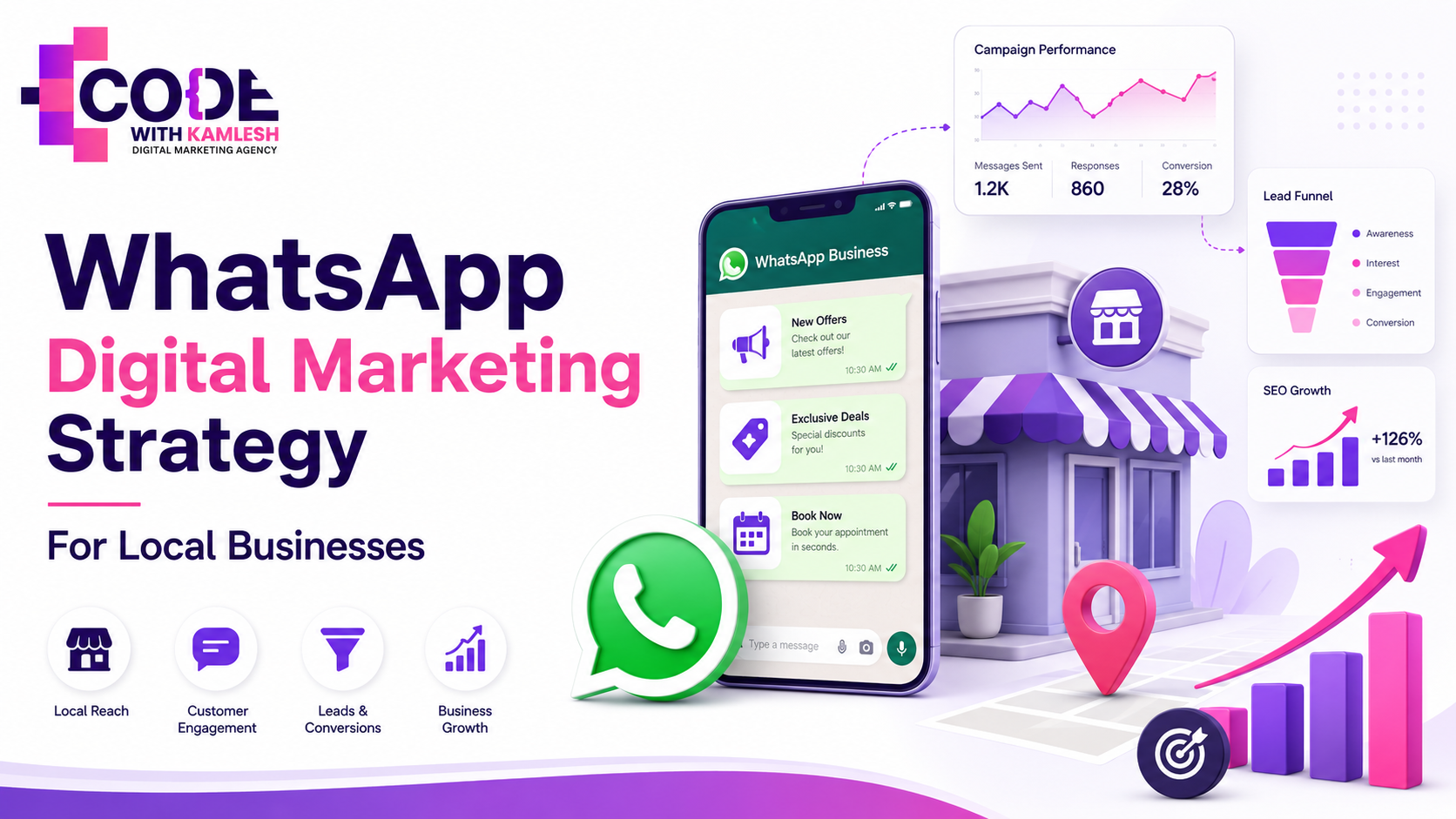
Local business marketing has changed completely. Earlier, businesses depended mainly on banners, pamphlets, referrals, walk-in customers, and local networking.
Today, customers search online, compare options, check reviews, message businesses directly, and expect quick replies before making a buying decision.
For local businesses, WhatsApp has become one of the most powerful digital marketing tools. It is simple, direct, personal, and already used by almost every customer.
Whether you run a salon, coaching institute, clinic, restaurant, real estate business, boutique, digital marketing agency, gym, retail store, or local service company,
WhatsApp can help you generate leads, follow up with customers, build trust, and increase sales.
The biggest advantage of WhatsApp marketing is that it brings the business closer to the customer. A website may give information, social media may create awareness, and ads may bring traffic, but WhatsApp starts a real conversation. And in local business, conversation often converts better than cold advertising.
WhatsApp Business also provides features like catalog, labels, quick replies, and automated messages, which help businesses manage customer communication more professionally. Businesses can also run ads on Facebook and Instagram that open directly into a WhatsApp chat.
In this guide, we will understand how local businesses can use WhatsApp as a complete digital marketing strategy, not just as a messaging app.
Why WhatsApp Marketing Is Important for Local Businesses
Local businesses usually have limited budgets. They cannot always spend heavily on large branding campaigns. They need marketing that is practical, affordable, fast, and close to actual sales. WhatsApp fits perfectly into this requirement.
When a customer messages you on WhatsApp, they are already interested. They may want pricing, location, availability, appointment details, product photos, service information, or a quotation. If your business responds quickly and professionally, the chances of conversion increase.
For example, if a student asks a coaching institute for course details, a fast WhatsApp reply with batch timing, fee structure, demo class link, and admission process can convert that lead. If a customer asks a salon about bridal makeup packages, a clean response with portfolio photos and appointment slots can help close the booking.
If a local digital marketing agency receives a WhatsApp inquiry, it can quickly understand the business requirement and share the right service plan.
WhatsApp marketing works because it feels personal. Customers do not feel like they are talking to a faceless brand. They feel like they are speaking directly with someone who can solve their problem.
Set Up WhatsApp Business Properly
The first step is to use WhatsApp Business instead of a normal WhatsApp account. Many local businesses use a personal WhatsApp number for business communication, but that does not look professional.
A proper WhatsApp Business profile should include:
Business name
Business logo
Category
Short business description
Address
Website link
Opening hours
Email address if available
Product or service catalog
Your business description should be clear and useful. Avoid generic lines like “best service provider” or “quality work guaranteed.” Instead, explain what you actually do.
Example for a digital marketing agency:
“Code With Kamlesh helps local businesses grow with SEO, Google Ads, social media marketing, website development, and lead generation strategies.”
Example for a salon:
“Glow Beauty Studio offers bridal makeup, hair treatment, facial, nail art, and grooming services for women.”
Example for a coaching institute:
“ABC Coaching Classes provides offline and online coaching for school students, competitive exams, and test preparation.”
When your WhatsApp profile looks complete, customers trust your business more. A blank profile, no logo, no description, and no proper information can reduce credibility.
Create a WhatsApp Catalog
A WhatsApp catalog works like a mini website inside WhatsApp. It allows you to showcase your products or services directly to customers. Businesses can create catalogs to share products and services through the WhatsApp Business app.
For a local business, this is very useful because customers often ask the same questions:
What services do you provide?
What are your packages?
Can you send product photos?
What is the price?
Do you have any offer?
Instead of typing the same details again and again, you can simply share catalog items.
A digital marketing agency can add catalog items like:
SEO Services
Google Ads Management
Social Media Marketing
Website Development
E-commerce Website Development
WhatsApp Marketing Setup
Lead Generation Campaigns
A salon can add:
Bridal Makeup
Party Makeup
Hair Spa
Keratin Treatment
Facial Packages
Nail Art
Pre-Bridal Package
A restaurant can add:
Lunch Combo
Dinner Combo
Party Order Menu
Snacks Menu
Family Pack
Festival Special Menu
A coaching institute can add:
Foundation Course
Crash Course
Test Series
Demo Class
Online Course
Offline Batch
Keep your catalog clean. Use good-quality images, short descriptions, and simple pricing. If your pricing depends on customer requirements, write “Starting from” or “Contact for custom pricing.”
Build a Permission-Based Contact List
WhatsApp marketing should not mean sending random messages to random people. That is spam. A good WhatsApp strategy is based on permission.
People should know why they are sharing their number with your business. For example, they may share their WhatsApp number to receive course details, appointment confirmation, offers, quotations, product updates, or service information.
You can collect WhatsApp leads from:
Website forms
Landing pages
Instagram bio links
Facebook ads
Google Ads
QR codes
Offline inquiry forms
Billing counters
Events
Exhibitions
Referral campaigns
Google Business Profile
Store visits
Use clear call-to-action lines like:
“Get course details on WhatsApp.”
“Book your free consultation on WhatsApp.”
“Get today’s menu on WhatsApp.”
“Receive latest offers on WhatsApp.”
“Get a free quotation on WhatsApp.”
“Book your appointment on WhatsApp.”
This way, customers understand the purpose of sharing their number.
Also, never send too many promotional messages. WhatsApp is a personal space. If you disturb customers too much, they may block your number or stop responding.
Segment Your Customers
One of the biggest mistakes local businesses make is sending the same message to everyone. Every customer is not the same. Some are new leads, some are existing customers, some are high-value customers, some are inactive customers, and some are only interested in offers.
Segmentation helps you send the right message to the right audience.
You can segment your WhatsApp contacts into:
New leads
Hot leads
Existing customers
Repeat customers
Inactive customers
High-budget customers
Low-budget customers
Location-wise customers
Service-wise customers
Product-wise customers
Festival buyers
Appointment customers
For example, a coaching institute can segment contacts into:
Students
Parents
Demo class leads
Fee pending leads
Admission completed students
Old students
New batch inquiries
A salon can segment contacts into:
Bridal leads
Regular customers
Hair treatment customers
Facial customers
Inactive customers
Festival offer customers
A digital marketing agency can segment contacts into:
SEO leads
Website leads
Google Ads leads
Social media leads
E-commerce leads
Local business leads
Old clients
When your audience is segmented, your messages become more relevant. Relevant messages get better responses.
Use Labels for Lead Management
WhatsApp Business labels are very helpful for organizing chats. If you receive many inquiries, your WhatsApp can become messy very quickly. Labels help you track every lead properly.
You can create labels like:
New Lead
Hot Lead
Follow-Up Required
Payment Pending
Quotation Sent
Demo Booked
Interested Later
Existing Customer
Review Pending
Closed Deal
For example, if someone asks for website development pricing, you can label that chat as “Website Lead.” If they are interested but need time, label them as “Follow-Up Required.” If you have shared a quotation, label them as “Quotation Sent.”
This simple system helps you avoid losing leads.
Many businesses do not fail because they lack customers. They fail because they do not follow up properly. Labels solve this problem.
Prepare Quick Replies
Every business receives repeated questions. Instead of typing the same answer again and again, you can create quick replies.
Common quick replies can include:
Pricing details
Business location
Opening hours
Service list
Appointment process
Payment details
Package details
Thank you message
Review request
Follow-up message
Example quick reply for a digital marketing agency:
“Thank you for contacting us. We provide SEO, Google Ads, social media marketing, website development, and lead generation services. Please share your business name, city, website link, and main goal so we can suggest the right strategy.”
Example quick reply for a clinic:
“Thank you for contacting us. Our clinic timing is 10 AM to 8 PM. Please share your name, concern, and preferred appointment time. Our team will confirm your slot.”
Example quick reply for a coaching institute:
“Thank you for your interest. Please share the course or exam you are preparing for, and we will send you batch details, fee structure, and demo class information.”
Quick replies save time and make your business look more professional.
Create a WhatsApp Customer Journey
A good WhatsApp strategy is not just about sending messages. You need to create a complete customer journey.
The customer journey usually includes:
Awareness
Interest
Trust
Conversion
Repeat purchase
At the awareness stage, the customer discovers your business through Instagram, Facebook, Google, YouTube, referral, or offline marketing.
At the interest stage, the customer messages you on WhatsApp and asks for details.
At the trust stage, you share reviews, testimonials, product photos, portfolio, case studies, results, or proof of work.
At the conversion stage, you guide the customer toward booking, payment, appointment, order confirmation, or meeting.
At the repeat purchase stage, you keep the customer engaged with useful updates, offers, reminders, and after-sales support.
Most businesses only focus on the first reply. But real conversion happens when you manage the full journey properly.
Use Click-to-WhatsApp Ads
Click-to-WhatsApp ads are very useful for local businesses. These ads appear on Facebook and Instagram, and when users click, they directly enter a WhatsApp chat with your business.
This type of ad works well for businesses where customers prefer asking questions before buying.
Examples include:
Coaching institutes
Clinics
Salons
Real estate businesses
Interior designers
Digital marketing agencies
Restaurants
Gyms
Travel agencies
Event planners
Boutiques
Local service providers
For example, instead of sending users to a website landing page, a coaching institute can run an ad saying:
“New batch starting soon. Message us on WhatsApp for fee details and demo class.”
A salon can run an ad saying:
“Book bridal makeup consultation on WhatsApp.”
A digital marketing agency can run an ad saying:
“Want more local leads? Message us on WhatsApp for a free strategy discussion.”
But remember, ads alone do not generate sales. Ads bring conversations. Your WhatsApp reply system converts those conversations into customers.
Before running ads, prepare:
Welcome message
Service details
Pricing structure
Lead qualification questions
Follow-up script
Portfolio or proof
Team response timing
Tracking sheet
If your response system is weak, your ad budget will get wasted.
Use WhatsApp Status for Daily Visibility
WhatsApp Status is a powerful but underrated marketing tool. Many customers may not message you daily, but they can still see your updates through Status.
You can post:
Offers
Customer reviews
Before-after work
Product photos
Service highlights
New arrivals
Behind-the-scenes content
Team updates
Educational tips
Festival wishes
Booking reminders
Limited-time deals
Case studies
Client results
A digital marketing agency can post:
SEO tips
Google Ads results
Website launch updates
Client testimonials
Social media growth tips
Marketing offers
A restaurant can post:
Today’s special menu
Food photos
Combo offers
Party order updates
Customer reviews
A salon can post:
Makeup looks
Hair transformation
Beauty tips
Appointment slots
Festival packages
A coaching institute can post:
New batch updates
Student results
Demo class details
Exam tips
Motivational content
WhatsApp Status should not only be promotional. Keep a mix of education, proof, offers, and brand personality.
Weekly WhatsApp Content Plan
Here is a simple weekly content plan for local businesses:
Monday: Educational tip
Tuesday: Product or service highlight
Wednesday: Customer review or testimonial
Thursday: Behind-the-scenes content
Friday: Offer or announcement
Saturday: FAQ or common customer question
Sunday: Brand story or soft promotion
Example for a digital marketing agency:
Monday: “Why local SEO is important for small businesses.”
Tuesday: “Our Google Ads service for lead generation.”
Wednesday: “Client testimonial from a local business owner.”
Thursday: “Behind the scenes of website development work.”
Friday: “Free digital audit offer.”
Saturday: “SEO vs Google Ads: which is better?”
Sunday: “How we help local businesses grow online.”
This type of structure keeps your communication consistent.
Share Trust-Building Content
Customers do not buy only because of offers. They buy when they trust you.
On WhatsApp, you can build trust by sharing:
Google reviews
Customer testimonials
Before-after results
Product photos
Work portfolio
Case studies
Screenshots of results
Video testimonials
Certificates
Office photos
Team photos
Client success stories
For example, if you are a digital marketing agency, share real campaign results, website samples, SEO improvement screenshots, and client feedback.
If you are a salon, share makeup photos, hair transformation results, and customer reviews.
If you are a coaching institute, share student results, demo class clips, and parent feedback.
If you are an interior designer, share project photos, 3D designs, and completed work.
Trust-building content should be specific. Do not just say, “We are the best.” Show proof.
Ask the Right Questions Before Selling
Many businesses start selling too quickly. First, understand the customer’s requirement.
For a digital marketing agency, ask:
What is your business category?
Which city do you want to target?
Do you already have a website?
Are you looking for SEO, ads, social media, or complete marketing?
What is your monthly marketing budget?
What is your main goal: leads, branding, sales, or traffic?
For a coaching institute, ask:
Which exam or class are you preparing for?
Do you want online or offline classes?
Have you attended any demo class?
When do you want to start?
For a salon, ask:
Which service are you looking for?
What is your preferred date?
Do you want home service or studio appointment?
Is it for bridal, party, or regular grooming?
For a real estate business, ask:
What is your budget?
Which location do you prefer?
Are you looking for residential or commercial property?
Do you want ready-to-move or under-construction property?
Good questions help you give better answers. Better answers increase conversion.
Follow-Up Strategy for WhatsApp Leads
Follow-up is where most sales happen. Many customers do not buy immediately. They compare, think, discuss with family, check budget, or wait for the right time.
A simple follow-up system can improve sales.
Follow-up 1: Same day
“Hi, I hope you received the details. Please let me know if you want help choosing the right option.”
Follow-up 2: Next day
“Hi, just checking if you had any questions regarding the package. I can suggest the best option based on your requirement.”
Follow-up 3: After 3 days
“Hello, we still have limited slots available for this week. Let us know if you would like to proceed.”
Follow-up 4: After 7 days
“Hi, are you still planning to move ahead with this service? We can guide you with a suitable plan.”
Do not sound desperate. Keep your follow-up polite and useful.
Use WhatsApp for Customer Support
WhatsApp is not only for marketing. It is also useful for support.
You can use it for:
Order updates
Appointment reminders
Payment confirmations
Delivery updates
Service reminders
Complaint handling
Feedback collection
After-sales support
Good support creates repeat customers. If customers feel that your business replies quickly and solves problems, they are more likely to come back.
For example, a repair service business can send repair status updates. A clinic can send appointment reminders. A coaching institute can send class updates. A digital marketing agency can send project progress reports.
Collect Reviews Through WhatsApp
Reviews are very important for local businesses. WhatsApp can help you collect more reviews.
After completing a service, send a polite review request.
Example:
“Thank you for choosing our service. Your feedback helps us improve and also helps other customers trust our business. Please share your review whenever convenient.”
You can also share your Google review link.
But do not force customers. Ask politely and at the right time. The best time to ask for a review is when the customer is happy with your service.
Measure WhatsApp Marketing Performance
If you want serious results, you must track performance.
Track these metrics:
Number of leads received
Lead source
Response time
Number of follow-ups
Converted leads
Lost leads
Revenue generated
Most common customer questions
Best-performing offer
Best-performing ad
Repeat customers
Customer complaints
Review requests sent
Reviews received
You can use a simple Google Sheet with these columns:
Date
Customer name
Phone number
Lead source
Requirement
Status
Follow-up date
Deal value
Remarks
This basic tracking will help you understand what is working and what needs improvement.
Common WhatsApp Marketing Mistakes
Many local businesses use WhatsApp, but they do not use it properly. Avoid these mistakes:
Sending too many promotional messages
Sending messages without permission
Using poor-quality images
Not replying quickly
Not following up
Not using labels
Not creating quick replies
Not tracking leads
Sending the same message to everyone
Using unprofessional language
Ignoring customer questions
Not sharing proof or reviews
30-Day WhatsApp Marketing Plan for Local Businesses
Day 1 to 3: Set up your WhatsApp Business profile completely.
Day 4 to 6: Add your main products or services to the catalog.
Day 7 to 9: Create quick replies for common questions.
Day 10 to 12: Create labels for lead management.
Day 13 to 15: Prepare customer review screenshots, portfolio, and proof of work.
Day 16 to 18: Create a lead collection system using QR codes, website forms, or landing pages.
Day 19 to 21: Start posting WhatsApp Status daily.
Day 22 to 24: Follow up with old leads.
Day 25 to 27: Run a small click-to-WhatsApp ad campaign if budget allows.
Day 28 to 30: Review results and improve your message scripts.
This 30-day plan is simple, but if followed consistently, it can bring real improvement in customer communication and conversions.
Sample WhatsApp Messages for Local Businesses
New lead reply:
“Hi, thank you for contacting us. Please share your requirement and city so we can guide you with the best available option.”
Service details message:
“We provide complete digital marketing services including SEO, Google Ads, social media marketing, website development, and lead generation. Please share your business category so we can suggest the right plan.”
Offer message:
“This week, we are offering a free digital audit for selected local businesses. If you want us to check your website, Google ranking, and social media presence, reply
‘AUDIT’.”
Follow-up message:
“Hi, just following up regarding your inquiry. Would you like us to share the basic and premium package options for comparison?”
Review request:
“Thank you for choosing our service. Your feedback really helps our business grow. Please share your experience with us on Google whenever convenient.”
Conclusion
WhatsApp digital marketing is one of the most practical strategies for local businesses. It is direct, personal, affordable, and easy to manage. But it should be used with planning.
A successful WhatsApp strategy includes a professional business profile, proper catalog, permission-based contacts, customer segmentation, quick replies, labels, follow-ups, trust-building content, WhatsApp Status, and performance tracking.
For local businesses, WhatsApp is not just a messaging app. It is a lead generation tool, sales channel, customer support system, and relationship-building platform.
If used properly, WhatsApp can help local businesses convert more inquiries, improve customer trust, increase repeat sales, and grow faster in their local market.
FAQs
1. What is WhatsApp marketing for local businesses?
WhatsApp marketing is a strategy where local businesses use WhatsApp to connect with customers, share offers, answer inquiries, send updates, follow up with leads, and increase sales through direct communication.
2. Is WhatsApp marketing effective for small businesses?
Yes, WhatsApp marketing is highly effective for small businesses because it is personal, fast, affordable, and easy to use. It helps businesses build trust and convert inquiries into customers.
3. How can local businesses get WhatsApp leads?
Local businesses can get WhatsApp leads through website forms, Instagram bio links, Facebook ads, Google Ads, QR codes, Google Business Profile, offline campaigns, and referral marketing.
4. What type of content should businesses share on WhatsApp?
Businesses can share offers, product updates, service details, customer reviews, before-after work, appointment reminders, educational tips, testimonials, and festival promotions.
5. How often should a business send WhatsApp marketing messages?
A business should send messages only when they are useful and relevant. Usually, 2 to 4 messages per week are enough. Sending too many messages can irritate customers and reduce trust.
© 2026 CodeWithKamlesh.
Kamlesh Singad
Founder, Code With Kamlesh. Helped 200+ businesses scale through SEO, Google Ads & Social Media. 8+ years of digital marketing experience.
Comments (0)
No comments yet. Be the first to comment!