How to Optimize Title Tags for SEO: A Complete Guide
Master the art of title tag optimization with this complete guide. Learn how to align with search intent, structure keywords naturally, avoid common mistakes, and drive more organic clicks.
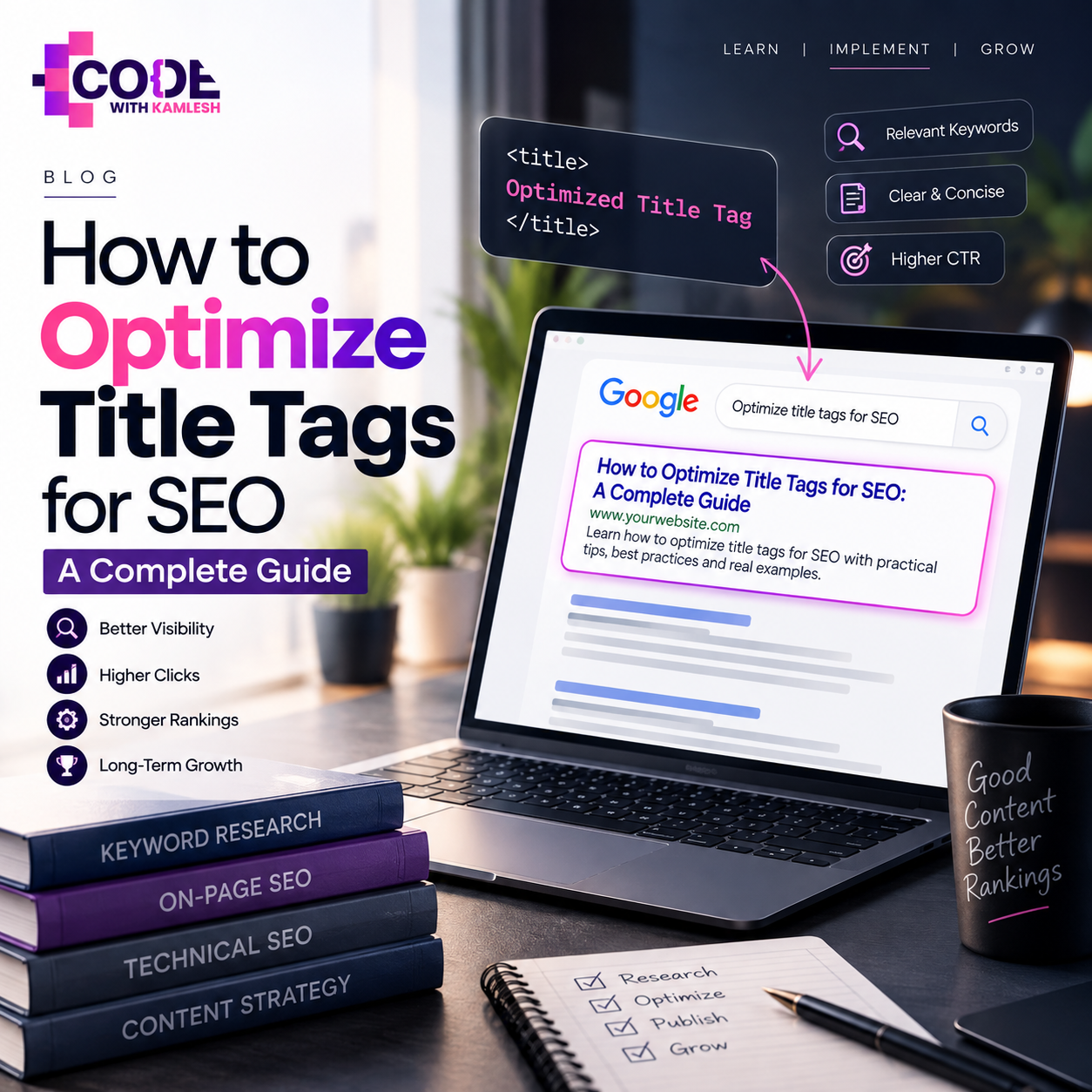
Every organic search journey begins with a brief headline on a search engine results page. When someone types a search query into Google, dozens of pages compete for their immediate attention. In that split second of user evaluation, the title tag functions as your primary storefront window. It tells searchers whether your page answers their question, solves their technical problem, or carries the product they want to buy.
Optimizing title tags remains a fundamental element of search engine marketing. A poorly conceived title leaves clicks on the table, creates confusion regarding search intent, and fails to communicate page value to search crawlers. Conversely, a well-crafted title tag balances technical keyword placement with persuasive copy, driving organic traffic without resorting to cheap tactics. In this comprehensive guide, you will learn how to optimize title tags for SEO systematically—from running initial keyword research and interpreting searcher psychology to auditing legacy URLs, fixing structural errors, and measuring real-world click performance across your entire website.
What Is a Title Tag in SEO?
A title tag is an HTML element located inside the <head> section of an HTML document. Its primary technical purpose is to specify the title of a particular webpage for search engines, web browsers, and external networks.
In raw HTML code, a title tag appears like this:
<title>How to Optimize Title Tags for SEO: A Complete Guide</title>
Search engines use this element to understand the foundational subject matter of a URL. When search crawlers index your page, they parse this element early in the scanning process.
Users encounter page titles across multiple touchpoints:
- Search engine result pages (SERPs), where the title tag typically appears as the clickable, highlighted headline (referred to by search engines as a title link).
- Web browser tabs, where the title displays alongside your favicon to help users navigate between open tabs.
- Social media platforms and messaging apps, where the title tag frequently acts as the fallback headline when a page lacks custom Open Graph metadata.
- Browser bookmarks and reading lists, where the title tag serves as the default saved reference name.
Title Tag vs. H1 Heading vs. Meta Description
It is easy to confuse title tags with other on-page elements, but each serves a distinct structural role:
- Title Tag: Exists solely within the <head> code of the page. It represents the external identity of the webpage to search engines, browser interfaces, and third-party platforms. It is generally not visible on the actual body of the page.
- H1 Heading: Lives inside the visible <body> section of the webpage. It serves as the primary contextual heading for readers once they arrive on the site, introducing the visual layout, article text, or product catalog.
- Meta Description: An HTML snippet also placed in the <head> block that provides a summary of the page content. While title tags act as clickable headlines, meta descriptions serve as supporting copy directly beneath the title link on search result pages. Unlike title tags, meta descriptions do not contribute directly to keyword relevance calculations, though they significantly influence click decisions.
Why Are Title Tags Important for SEO?
Title tags remain one of the most critical foundational elements of On-Page SEO. While modern search algorithms evaluate hundreds of sophisticated signals, the HTML title element provides search engines with immediate, concise clarity regarding your content.
Here is why title tags are essential for search performance:
- Search Engine Context: Search engines must categorize billions of URLs efficiently. The title tag provides an explicit, high-priority summary of the core topic, enabling crawlers to index the document against relevant search queries.
- Search Relevance: Precise title tags reinforce the alignment between a page and specific keyword themes. When a page title contains direct query terms, it confirms topic relevance for both the algorithm and the searcher.
- Search Result Presentation: The title link is the most prominent visual element of an organic snippet. It occupies the largest visual footprint and sets immediate expectations for the reader.
- User Expectations: The title creates an initial contract with the searcher. If the title promises an exhaustive comparison guide, the reader expects a detailed breakdown upon landing on the page. Misalignment damages trust and drives immediate site abandonment.
- Click-Through Potential: A technically relevant page that ranks in position three may capture minimal traffic if its title is dry, confusing, or truncated. Thoughtful copywriting turns search impressions into active site visits. While organic click-through rate (CTR) is not an established direct ranking factor in core search algorithms, higher click-through volume brings qualified users directly to your conversion funnel.
- Branding Value: Consistent, recognizable inclusion of your company name at the end of a title reinforces authority and brand recall over time, particularly across competitive industries.
- Foundation for Internal and External Navigation: Clear titles help search systems build topic clusters, organize site architectures, and understand how interconnected URLs support broader industry themes.
How to Optimize Title Tags for SEO
Creating high-performing title tags requires balancing technical search criteria with compelling copywriting. You are writing simultaneously for algorithmic scrapers that evaluate topical relevance and busy human searchers making split-second decisions.
Use the following fourteen strategies to build clear, search-friendly title tags across your website.
1. Start With the Right Keyword
Never write a title tag based on assumptions. Effective title optimization requires thorough Keyword Research to discover how prospective visitors phrase their search queries.
Begin by identifying your primary target keyword. This term should reflect the core subject of the page and demonstrate sufficient search demand. Identify secondary variations, questions, and long-tail phrases that contextualize your main topic.
When selecting keywords for title tags:
- Choose terms that match your website's topical authority level.
- Confirm that search volume represents genuine interest rather than temporary spikes.
- Check that your chosen target keyword naturally represents what the page delivers.
If your keyword research indicates that users search for "residential plumbing repair" rather than "home pipe maintenance," your title tag must align with the language real users type into search boxes.
2. Understand Search Intent
Targeting a high-volume keyword accomplishes little if your title misunderstands what searchers want to accomplish. Search intent represents the primary goal driving an online query. Search intent generally falls into four distinct categories:
- Informational Intent: The user wants to learn something, diagnose an issue, or explore a concept.
- Query Example: "how to change a car battery"
- Title Example: How to Change a Car Battery at Home: Step-by-Step Guide
- Commercial Investigation: The user is comparing options, reading reviews, or searching for the best solution before buying.
- Query Example: "best project management tools for small teams"
- Title Example: 10 Best Project Management Tools for Small Teams (2026 Review)
- Transactional Intent: The user is prepared to make a purchase, book a service, or download software.
- Query Example: "buy ergonomic desk chair online"
- Title Example: Ergonomic Desk Chairs: Buy Adjustable Office Seating Online
- Navigational Intent: The user wants to access a specific website, brand portal, or login page.
- Query Example: "slack enterprise login"
- Title Example: Sign In to Slack | Slack Enterprise Portal
Analyze the top organic results for your target query. If all ranking pages are instructional tutorials, writing a transactional sales title for your page will create an intent mismatch, depressing organic engagement.
3. Place the Primary Keyword Naturally
Placing your primary target keyword within the title tag helps validate topic relevance. However, the placement must read naturally to human readers.
For decades, many marketers insisted on forcing primary terms into the absolute first position of every title, resulting in robotic phrasing. A natural, grammatically correct title that incorporates the target phrase within the first half of the headline performs significantly better with real searchers than an awkward keyword string.
- Awkward Placement: Running Shoes Men: Best Footwear to Buy Online
- Natural Placement: Best Men's Running Shoes for Road and Trail Workouts
Integrate the keyword so that the sentence structure flows effortlessly. Search algorithms use advanced natural language processing models capable of identifying keyword variations and grammatical relationships without requiring rigid phrasing.
4. Put Important Information Early
While you should prioritize grammatical fluidity, placing critical topical markers toward the beginning of your title tag remains a reliable best practice.
This approach, known as front-loading, offers two distinct advantages:
- Human Scanning Behavior: Online readers scan search results rapidly, often evaluating only the first two or three words of a headline before scanning to the next result. Placing your core subject early captures immediate visual attention.
- Protection Against Truncation: When a title exceeds the available visual display width on a mobile screen or desktop browser, search engines cut off the trailing text with an ellipsis (...). If your main topic sits at the very end of an extended title, users may never see what your page is actually about.
If your page covers "Enterprise Cloud Migration Strategies," structure the title so that this foundational concept appears before supporting modifiers or brand names.
5. Keep Your Title Clear and Concise
Title tag length requires careful management. A standard industry rule of thumb is to aim for 50 to 60 characters (including spaces).
However, it is critical to recognize that this 50–60 character range is an informal practical guideline rather than a rigid, documented Google limit. Search engines measure title display limits using pixel width rather than raw character counts. On desktop displays, title links typically cut off around 600 pixels, while mobile devices offer slightly different visual boundaries depending on screen resolution.
Characters vary significantly in pixel width; a capital letter "W" or "M" occupies far more horizontal space than a lowercase "i" or "l". Consequently, a 55-character title composed of wide letters may truncate, whereas a 63-character title with narrow letters may display in its entirety.
Furthermore, search engines do not stop processing titles after character 60. The full text of an extended title tag is still parsed and indexed for search context. However, keeping the visible, descriptive portion within the 50–60 character (or 500–600 pixel) window ensures that searchers see your complete, unclipped value proposition across devices.
6. Write a Unique Title Tag for Every Important Page
Duplicate title tags introduce ambiguity across your domain. When multiple pages share identical titles, search engines struggle to differentiate their specific purposes, which can lead to keyword cannibalization and erratic indexation.
For site visitors, landing on duplicate titles across browser tabs creates immediate disorientation. Each indexable URL on your site must feature a distinct title that reflects its unique perspective, inventory, or service offering.
If your website maintains hundreds of similar pages—such as an eCommerce store with numerous category archives—use dynamic programmatic rules to append unique identifiers, such as brand filters, sizes, or regions, to keep each title distinct.
7. Match the Title With the Actual Page Content
Your title tag sets expectations that your content must satisfy. Crafting an sensationalist headline that promises "The Definitive 2026 Industry Survey" on a 200-word promotional sales page damages your credibility.
When searchers click a promising title link only to discover thin, irrelevant, or misleading content, they click back to the search results immediately. High bounce rates combined with brief dwell times signal to search systems that the page failed to address user intent.
Always align your title with the actual depth, tone, and scope of the page. If your article provides a high-level summary, title it as an introduction or overview rather than an exhaustive manual.
8. Write for Humans, Not Just Search Engines
Algorithms read your title tags, but people decide whether to visit your website. An optimized title tag must function as persuasive, high-integrity marketing copy.
To make titles appealing to real users:
- Address user pain points directly.
- Emphasize practical benefits rather than corporate jargon.
- Use active, compelling language.
- Maintain a professional, approachable tone.
Instead of writing a dry title such as "Commercial HVAC Maintenance Information," use an active construction: "Commercial HVAC Maintenance: How to Prevent Costly System Downtime." The latter communicates direct business value while preserving critical topical keywords.
9. Avoid Keyword Stuffing
Keyword stuffing is an obsolete manipulation tactic that involves cramming as many search terms as possible into a single meta element. This practice degrades readability, irritates searchers, and signals low quality to search engines.
Consider this common mistake:
- Bad Example: SEO Services | SEO Company | Best SEO | SEO Expert | SEO Agency
- Better Example: SEO Services in Indore | Code With Kamlesh
The bad example wastes valuable display real estate repeating variations of the exact same term. It provides zero context, conveys no unique value proposition, and reads like an unedited database export.
The better example clearly identifies the core service ("SEO Services"), establishes geographic relevance ("in Indore"), and reinforces business credibility by closing with the company brand name ("Code With Kamlesh"). It communicates everything a searcher needs to know concisely.
10. Use Powerful Modifiers When Relevant
Modifiers are contextual terms added to a primary keyword to target long-tail queries, communicate format, and define user skill levels. When employed accurately, modifiers help attract visitors seeking specific content depths.
Common modifiers include:
- Format indicators: Guide, Checklist, Template, Case Study, Examples
- Quality and detail signals: Complete, Step-by-Step, Practical, Comprehensive
- Experience levels: Beginner, Advanced, Fundamentals
- Chronological relevance: 2026, Updated, Annual
Only apply modifiers when they accurately reflect your content. Do not label an article a "Checklist" unless the page includes a downloadable or interactive list format.
11. Use Numbers When They Add Real Value
Numbers attract visual attention on crowded search results pages. The human brain naturally notices digits breaking up walls of standard text, which can help your title stand out.
Use numbers whenever they convey genuine specificity:
- Quantifying actionable ideas: "12 Practical Ways to Improve Website Speed"
- Specifying inventory counts: "Over 250 Modern Office Desks in Stock"
- Providing timelines: "How to Train for a Half Marathon in 16 Weeks"
- Highlighting years: "Web Design Standards for 2026"
Avoid attaching arbitrary, inflated numbers simply to create link bait. If your article provides eight solid recommendations, title it accordingly rather than padding the content with weak filler to reach an arbitrary milestone like "50 Tips."
12. Add the Brand Name Strategically
Including your brand name in title tags builds authority and provides immediate attribution. However, where and when you include it depends on your current market presence and page type.
- Standard Pages (Blogs, Articles, Products): Place the brand at the end of the title, separated by a clean delimiter such as a vertical pipe (|) or an en dash (–). This keeps primary keywords front-loaded while retaining brand attribution.
- Example: B2B Content Marketing Framework | BrandName
- Homepage: For your primary domain root, place your brand name at the beginning, followed by your primary business category or unique selling proposition.
- Example: BrandName | Enterprise Inventory Management Software
- High-Authority Brands: Established global brands often place their name first across key commercial landing pages because their brand equity drives immediate consumer trust.
- Character-Constrained Titles: If your primary headline already approaches 55 characters and communicates an urgent, highly technical message, dropping the brand name is acceptable to avoid awkward visual truncation.
13. Avoid Unnecessary Repetition
Wasting character limits on repetitive words limits your ability to communicate unique value. Repetition commonly occurs when site templates automatically combine category names, parent directories, and company slogans into the title tag.
Common forms of title repetition include:
- Category Echoes: Men's Shoes - Running Shoes for Men - Athletic Men's Shoes
- Location Stacking: Plumber Chicago - Chicago Emergency Plumbing - Chicago, IL
- Brand Doubling: Acme Software Solutions | Cloud Tools by Acme Software Solutions
Audit your titles to eliminate redundant words. Every word in your title tag should provide distinct value, clarify intent, or reinforce brand trust.
14. Review the SERP Before Finalizing the Title
Never publish a title tag without first evaluating what is currently working on page one of Google. Manual SERP analysis provides actionable insight into current algorithmic preferences and user expectations.
Open an incognito browser window, search your target primary keyword, and carefully evaluate the top five organic results:
- What content formats dominate the results (e.g., listicles, how-to manuals, software landing pages)?
- How are competitors framing their value propositions?
- What modifiers appear repeatedly across competing titles?
- Where are competitors falling short? Are their titles outdated, vague, or cluttered?
Do not copy your competitors' titles word for word. Instead, identify the common topical baseline required to compete, then write a title that addresses gaps in the current results—offering greater clarity, more updated information, or a more direct answer to the search query.
SEO Title Tag Examples: Bad vs. Optimized
Evaluating title tags across diverse business models demonstrates how to apply these concepts in practice. The following table contrasts common low-quality title tags with optimized versions built for clarity, search intent, and higher click performance.
Page Type
Poor Title Tag
Optimized Title Tag
Why It Works Better
Blog Post
SEO Tips: Read Our Great Blog Post About Search Engine Optimization
10 Actionable SEO Tips to Improve Organic Rankings
Replaces generic promotional filler with specific, number-driven value; front-loads target topic.
SEO Service Page
Best SEO Services Agency Top Ranked Firm Company
Enterprise SEO Services to Scale Organic Revenue
Replaces spammy keyword stuffing with a professional, enterprise-focused value proposition.
Digital Marketing Service
Marketing, Digital Ads, Social Media, PPC Services
Full-Service Digital Marketing Agency
Eliminates cluttered service lists; clearly communicates full-service agency positioning.
Local Business
Plumber - Fix Pipes - Emergency Plumbing Company
24/7 Emergency Plumbing Services in Austin, TX
Replaces repetitive keyword strings with a clear service description, local target, and operational hours.
eCommerce Product
Running Shoe Red Nike Men Sport Footwear 10.5
Nike Air Zoom Pegasus Men's Running Shoes (Size 10.5)
Structures critical product attributes (brand, model, gender, size) cleanly for high-intent buyers.
eCommerce Category
Dresses, Buy Dresses, Cheap Dresses Online Store
Women's Casual & Formal Dresses
Removes repetitive transaction terms; highlights specific subcategories that reflect actual inventory.
SaaS Website
Accounting Software - Invoices - Bookkeeping System
Cloud Accounting Software for Growing Small Businesses
Clarifies target audience (small businesses) and core software deployment model (cloud-based).
Educational Website
Python Programming Learn Python Online Class
Learn Python Programming: Online Course for Beginners
Clarifies learning format (online course) and specifies target skill level (beginners) directly.
How to Optimize Title Tags for Local SEO
Local search engine optimization requires balancing service clarity with accurate geographic parameters. When users search for nearby businesses, their intent is immediate and location-dependent. A local title tag must confirm what you do and precisely where you operate.
Every local service title tag should feature three core components:
- Primary Service: The primary trade or offering the page represents.
- Target Location: The primary city, municipality, or designated market area served.
- Business Name: Your established commercial name, establishing brand credibility.
Consider these practical examples:
- Digital Marketing Agency in Indore | Code With Kamlesh
- SEO Services in Indore | Code With Kamlesh
- WordPress Development in Indore | Code With Kamlesh
Compare these targeted examples to a common local SEO error: location stuffing. Many local businesses attempt to list every surrounding suburb within a single title tag:
- Spammy Local Title: SEO Services Indore, Bhopal, Ujjain, Dewas, MP | Code With Kamlesh
This approach fails for several reasons:
- It reads like an unformatted database entry, reducing click-through rates.
- It rapidly exceeds SERP display limits, truncating on screen.
- Search algorithms easily detect unnatural keyword lists, which can dilute page relevance for the primary location.
If you serve multiple geographic markets, do not crowd them into a single title. Instead, create distinct, high-quality location landing pages for each service area, featuring unique on-page content, customer reviews, local project portfolios, and accurately targeted title tags for each specific city.
How to Optimize Title Tags for Blog Posts
Optimizing titles for informational blog content requires balancing search engine relevance with editorial appeal. Readers looking for instructional guides, analyses, or tutorials respond to clear benefits, organized formats, and fresh insights.
Keep these foundational principles in mind when writing blog title tags:
- Highlight the Primary Topic Early: Make sure the subject is immediately recognizable within the first several words.
- Reflect True Search Intent: If the searcher wants an instructional process, use actionable framing (e.g., "How to," "Guide," "Tutorial").
- Deliver a Clear Benefit: Answer the reader's implicit question: "What will I learn or gain by reading this piece?"
- Incorporate Structured Modifiers: Use words like "Checklist," "Framework," or "Examples" to indicate how information is delivered.
- Indicate Freshness Carefully: Including the current year can confirm timely relevance for rapidly changing subjects, but only if the content is actively maintained.
- Avoid Deceptive Clickbait: Headlines promising unbelievable secrets create disappointment when the content delivers standard information. High-quality titles intrigue readers by accurately framing genuine insights.
5 Realistic Blog Title Tag Examples
- How to Conduct a Content Audit for SEO (Step-by-Step Guide)
- Target Query: content audit for SEO
- Why it works: Identifies the specific subject immediately, confirms instructional intent with "Step-by-Step Guide," and stays within display limits.
- B2B Keyword Research: Practical Framework for Organic Growth
- Target Query: B2B keyword research
- Why it works: Narrows focus to a business-to-business audience and promises a practical framework rather than basic theory.
- 15 Internal Linking Strategies to Improve Website Architecture
- Target Query: internal linking strategies
- Why it works: Uses a specific number to structure expectations and identifies the clear technical benefit (improved website architecture).
- Technical SEO Checklist: 12 Steps to Audit Your Website
- Target Query: technical SEO checklist
- Why it works: Matches exact search intent for a "checklist" format and quantifies the operational scope into twelve distinct steps.
- Core Web Vitals Guide: How to Optimize LCP, FID, and CLS
- Target Query: core web vitals guide
- Why it works: Clearly identifies specific technical acronyms that developers and technical SEO professionals search for directly.
Title Tag Optimization for eCommerce Websites
eCommerce websites present distinct title tag challenges due to dynamic inventories, deep site architectures, and thousands of similar product variations. An unstructured approach can result in massive site-wide title duplication.
Product Page Titles
Individual product page titles must be precise. High-intent shoppers rarely search for broad categories; they search using brand names, specific models, material finishes, part numbers, and sizes.
- Unoptimized Product Title: Men's Shoe - Brown Leather - Buy Online
- Optimized Product Title: Allen Edmonds Park Avenue Men's Oxford Shoes (Brown)
Include distinguishing attributes directly in product titles:
- Brand name
- Model name or style series
- Core identifying attribute (color, material, capacity, size)
- Part or model numbers where relevant for B2B or hardware catalogs
Category Page Titles
Category pages capture broader commercial searches from users exploring an entire product line. These titles should balance primary category terms with secondary product variations or intent qualifiers.
- Unoptimized Category Title: Laptops | Electronics Store
- Optimized Category Title: Business Laptops: Lightweight & Enterprise Notebooks
Brand Archive Pages
Brand pages aggregate products from a single manufacturer. These titles should combine the manufacturer name with the primary product lines carried on the site.
- Optimized Brand Title: Sony Mirrorless Cameras & E-Mount Lenses | CameraStore
Preventing eCommerce Duplication
To avoid generating duplicate titles across product variations (e.g., the same shirt offered in five colors across four sizes):
- Canonicalize minor product variations to a primary parent product URL.
- If distinct product variant pages must be indexed, programmatically feed unique attributes into the title template: [Product Name] - [Color/Finish] - [Size] | [Brand].
- Ensure faceted navigation pages (filtered views by price, sorting, or customer ratings) carry noindex tags or canonicalize back to the clean category URL to avoid generating hundreds of thin, duplicate title variations.
Common Title Tag Mistakes That Can Hurt SEO
Even experienced marketing teams make title tag errors that undermine organic visibility. Watch for these common pitfalls:
- Missing Title Tags: Omitting the <title> element entirely leaves search engines to assemble title links using random on-page text fragments, navigation code, or external links, often producing incoherent headlines.
- Duplicate Title Tags Across Multiple URLs: Reusing identical titles across separate pages confuses search crawlers regarding which page best addresses a query.
- Keyword Stuffing: Cramming multiple variations of a search phrase into a single title alienates searchers, reduces readability, and triggers algorithmic quality filters.
- Excessively Vague Titles: Labeling a page "Home," "Services," "Products," or "About Us" squanders your most valuable on-page text element. These placeholders provide zero context to search engines or users.
- Extremely Long Titles: Writing titles exceeding 75 or 80 characters leads to truncation, cutting off key terms and leaving searchers with broken, unreadable fragments.
- Titles Unrelated to Page Content: Writing titles that promise one topic while the page delivers another creates an immediate bounce and damages user trust.
- Using the Same Title Format Universally: Relying on a rigid, site-wide dynamic template (such as [Page Name] | [Catchphrase] | [Brand Name]) can result in awkward, repetitive titles that fail to reflect unique user search intent.
- Excessive Branding: Placing an extensive corporate slogan or long company name at the beginning of every title crowds out vital descriptive keywords.
- Repeating City Names for Local Pages: Stuffing three or four neighboring towns into a single local service title looks spammy and dilutes relevance for the primary location.
- Ignoring Search Intent: Creating an informational "how-to" title for a transactional shopping page creates friction that hurts conversion rates.
- Writing Titles Only for Search Engines: Assembling grammatically awkward keyword strings without considering human readability drives potential customers toward competitors.
- Never Reviewing Legacy Title Tags: Treating title optimization as a one-time publishing task means missing opportunities to update declining pages, refresh outdated dates, or capitalize on newly discovered query impressions
Why Does Google Sometimes Rewrite Title Tags?
Many SEO professionals encounter an unexpected scenario: you craft a concise title tag, publish the page, and discover that Google displays a completely different headline in the search results.
This happens because search engines do not guarantee that the text within your HTML <title> tag will be used as the displayed title link. Search systems evaluate several page elements to generate the title link that best reflects the page's relevance to a user's specific query.
According to Google's title links documentation, search systems consider multiple distinct sources when generating search snippet headlines:
- The primary HTML <title> element
- The main visible <h1> heading on the page
- Prominent visual subheadings (<h2>, <h3>)
- Prominent text content stylized through font size and layout hierarchy
- Anchor text found within internal links pointing to the page
- Anchor text from external inbound links
Why Search Engines Overwrite HTML Titles
Google typically replaces or modifies an HTML title tag for several specific reasons:
- The HTML title is extremely long: Search engines may shorten the headline or swap it with a concise visible H1 to prevent truncation.
- The title is stuffed with keywords: When titles contain repetitive search terms, algorithms often replace them with the business name or clean on-page headings.
- The title is boilerplate or vague: If hundreds of pages feature "Products" or "Untitled Document," search engines pull contextual text from the body to provide a clearer result.
- Query-Specific Matching: If a user searches for a sub-topic covered within a broad guide, the search engine may select an on-page H2 heading as the title link to confirm direct relevance to that query.
- Mismatch with the Visible Content: If the title says one thing while the main H1 heading communicates something else entirely, search engines often prioritize the visible H1 that readers actually see upon arrival.
How to Ensure Your Preferred Title Is Used
While you cannot force search engines to display your exact HTML title in every scenario, you can maximize consistency by following these guidelines:
- Ensure your HTML <title> closely aligns with your visible <h1> heading in terms of core keywords and intent.
- Keep the title concise, descriptive, and within standard pixel display parameters.
- Completely avoid boilerplate text, keyword stuffing, and vague branding fragments.
- Verify that internal anchor text pointing to the page uses language consistent with your primary title theme.
How to Audit Your Website's Title Tags
Regularly auditing your website's title tags ensures ongoing consistency, finds crawl errors, and surfaces underperforming pages. Follow this systematic process to audit title tags across your entire domain.
Step 1: Run a Full Site Crawl Using Screaming Frog SEO Spider
Download and open Screaming Frog SEO Spider (or an equivalent website crawler). Enter your root domain and initiate a crawl. Once completed, navigate directly to the Page Titles tab.
This tab provides a complete inventory of every title tag discovered across your website, along with character counts, pixel widths, and status codes.
Step 2: Export Data to a Working Spreadsheet
Export the Page Titles report into a CSV or Google Sheet. Add operational tracking columns to manage your workflow:
- Current Title Tag
- Recommended Title Tag
- Target Primary Keyword
- Audit Notes / Rationale
- Implementation Status (Pending, Complete, Verified)
Step 3: Filter for Structural and Syntax Errors
Use spreadsheet filters to quickly isolate technical issues:
- Missing Titles: Filter for empty cells. Every indexable page requires a title.
- Duplicate Titles: Sort by title text or use conditional formatting to highlight duplicates. Identify identical titles across multiple URLs and plan unique rewrites.
- Overly Long Titles: Filter for titles exceeding 60 characters or 600 pixels. Identify words that can be tightened without losing context.
- Overly Short Titles: Filter for titles under 30 characters. Expand vague phrases (like "Services" or "About") with descriptive keyword themes.
Step 4: Cross-Reference Search Performance Data
Log into Google Search Console and navigate to the Performance report. Filter for pages earning high search impressions but generating low click-through rates. Cross-reference these URLs against your title spreadsheet. Often, a high-impression, low-CTR URL simply suffers from an uninspiring, misaligned, or poorly formatted title tag.
Step 5: Check for Keyword Cannibalization
Search your spreadsheet for repeating primary keywords across multiple URLs. If three different blog posts share variations of "best email marketing software," review their content depth. Consolidate overlapping pages using 301 redirects, or re-optimize their titles to target distinct sub-niches.
Step 6: Review Core SERP Real Estate
Conduct spot-checks on your top twenty revenue-generating URLs directly in Google search results. Compare your live snippet display against your HTML title tag to identify any title rewrites or unexpected truncations.
Step 7: Update and Implement in Your CMS
Apply your updated, optimized title tags within WordPress (via your SEO plugin), Shopify, or your custom CMS. Once published, monitor the URLs to ensure search engine crawlers process the updates during subsequent indexing passes.
How to Measure Title Tag Performance
Optimizing a title tag is an iterative process. After deploying new titles, you need to measure their real-world impact using verifiable analytics.
The primary tool for measuring title tag optimization performance is the Google Search Console Performance report. This tool provides direct, first-party data regarding how searchers interact with your organic listings.
Metrics to Track
Monitor these key metrics within Search Console:
- Impressions: The number of times a searcher saw your URL listed in search results. A change in title tag phrasing can expand or contract the variety of queries for which your page is eligible to appear.
- Clicks: The total volume of visits originating from search results. An effective title increases click volume without necessarily requiring an increase in impressions.
- Average Click-Through Rate (CTR): The percentage of impressions that resulted in an active click (Clicks / Impressions = CTR). Improving CTR is the most direct indicator of an engaging, relevant title tag.
- Average Position: The mean ranking spot of your URL across recorded searches. While title tags influence relevance, do not expect an immediate, automatic jump in rank simply by tweaking a title. Quality content, backlink profiles, and technical site performance also impact ranking positions.
Conducting a Before-and-After Analysis
To accurately evaluate title adjustments:
- Document the baseline performance of target URLs for the 30 to 60 days preceding your title updates. Record impressions, clicks, and average CTR.
- Record the exact implementation date of the new title tag in your tracking log.
- Wait two to three weeks to allow search engines to recrawl, reindex, and display the revised title link.
- Compare performance over an equivalent time window (e.g., 30 days before vs. 30 days after indexation).
- Filter your Search Console data by individual URL and query to verify whether performance changes stemmed from your target keyword or unrelated long-tail variations.
Avoid changing multiple on-page elements simultaneously when testing titles. If you rewrite an H1, update three paragraphs of body text, add new images, and change your title tag on the same day, you cannot isolate which change drove your performance shifts.
SEO Title Tag Optimization Checklist
Review this checklist before publishing any new page or updating legacy content:
- Primary Keyword Identified: The primary target keyword is clearly defined based on verified search research.
- Search Intent Understood: The title matches the informational, commercial, transactional, or navigational intent of the query.
- Main Topic Clear: The core subject matter of the page is obvious at first glance.
- Important Terms Placed Naturally: The primary keyword appears naturally, preferably within the first half of the title.
- Title Is Unique: The title tag does not duplicate any other page title on the website.
- Title Is Concise: The length stays around 50–60 characters (under 600 pixels) to prevent awkward visual truncation.
- No Keyword Stuffing: The title avoids awkward keyword strings, repeated terms, or unnatural phrasing.
- Relevant Modifier Used: Modifiers (Guide, Checklist, Review, etc.) are included only if they accurately reflect the content.
- Brand Name Used Strategically: The company name is placed cleanly at the end (or front for homepages) using a standard delimiter.
- Matches Page Content: The headline makes promises that the on-page content, layout, and depth deliver.
- Attractive to Real Users: The copy offers a clear, compelling reason for searchers to click your link over competitors.
- Performance Can Be Tracked: Baseline metrics are logged in Search Console to measure post-implementation performance.
Advanced Title Tag Optimization Strategies
Once you have mastered the basics of title tag optimization, apply these advanced strategies to extract additional value from your existing content.
1. Target High-Impression, Low-CTR Opportunities
The most efficient organic growth opportunity often lies in improving underperforming pages that already rank well. In Google Search Console, filter your Performance report for pages ranking in positions 3 through 8 that exhibit a lower CTR than your site average.
These pages have earned algorithmic relevance, but their title links fail to generate user clicks. Rewriting these titles to feature clearer benefits, more compelling modifiers, or stronger intent alignment can drive immediate traffic gains without needing new backlink acquisition.
2. Mine Search Console Query Data for Title Adjustments
Review the exact search queries driving impressions to your target URL inside Search Console. Frequently, a page created to target one specific phrase naturally begins ranking for a slightly different, high-volume secondary query.
If a secondary query generates substantial impressions, consider incorporating that specific phrasing into your title tag, provided it naturally aligns with your existing content.
3. Analyze SERP Title Formats Systematically
When evaluating competitive search results, do not simply read competing titles—categorize their underlying copywriting frameworks. Determine whether top performers rely on:
- Question-based formats ("How Do You Clean Solar Panels?")
- Direct outcome statements ("Clean Solar Panels Without Scratching Glass")
- Comprehensive asset promises ("Complete Solar Panel Maintenance Guide")
Identify the prevailing pattern, then craft a title that meets search expectations while highlighting a distinct angle or specific insight competitors have overlooked.
4. Prioritize Striking-Distance Pages (Page Two Wins)
Pages ranking between positions 11 and 20 are in "striking distance" of the first page. For these URLs, review the top-ranking competitors to see if your current title misses critical contextual terms. Adjusting striking-distance titles to better mirror the specific depth, scope, and terminology of top-ranking results can help supply the contextual relevance needed to move onto page one.
5. Maintain an SEO Testing Log
Treat title optimization with scientific rigor. Maintain an ongoing change log containing:
- URL
- Old Title Tag
- New Title Tag
- Primary Keyword
- Date Changed
- Date Reindexed by Google
- Baseline CTR (30 Days)
- Post-Update CTR (30 Days)
Tracking your adjustments prevents guesswork, reveals which copywriting frameworks resonate best with your audience, and simplifies rolling back changes if a new title underperforms.
6. Leave High-Performing Titles Alone
Title optimization requires knowing when to take action—and when to hold back. If a page ranks in position one or two for its primary target keywords and delivers a strong, consistent click-through rate, leave it alone. Unnecessary tweaks to established, high-performing pages can disrupt contextual relevance, trigger unexpected rewrites, and inadvertently depress organic traffic. Focus your optimization efforts where clear room for improvement exists.
Frequently Asked Questions About Title Tags for SEO
1. What is a title tag in SEO?
A title tag is an HTML element in the <head> section of a webpage that defines the title of that page. It serves as the primary clickable headline in search engine result pages, appears on browser tabs, and helps search crawlers understand the page's core subject.
2. How long should an SEO title tag be?
A practical guideline is 50 to 60 characters (including spaces). Search engines measure display limits using pixel width rather than raw character count, typically cutting off titles around 600 pixels on desktop screens. Keeping titles within this range prevents awkward truncation.
3. Should I put my primary keyword first in the title?
Placing your primary keyword near the beginning is a helpful best practice because it aids visual scanning and prevents important terms from being cut off. However, readability and natural grammar should always take priority over rigid keyword placement.
4. Does Google use title tags as a ranking factor?
Yes, the HTML title tag is an established on-page relevance signal. It provides direct context regarding the content of a page, helping search systems index URLs for relevant search queries.
5. Does Google always show my title tag?
No. Google uses automated systems to determine the best title link for a search result. If your title is too long, stuffed with keywords, vague, or inconsistent with your visible on-page content, Google may display your H1, an H2, or another relevant text snippet instead.
6. Should every webpage have a unique title tag?
Yes. Every indexable page on your site must feature a distinct, unique title tag. Duplicate titles make it difficult for search engines to distinguish between pages and can confuse users navigating between multiple open browser tabs.
7. Can I use the same title tag and H1?
Yes, having an identical or very similar title tag and H1 heading is common and completely acceptable. However, many SEO professionals use a slightly more concise, keyword-focused title tag for search results (to fit pixel limits) while using a broader, more conversational H1 heading on the actual page.
8. Should I include my brand name in title tags?
Yes, including your brand name at the end of title tags (separated by a pipe or dash) builds authority and trust. For homepages, placing the brand name first is standard. If you face tight character limits on complex technical articles, you can omit the brand name to prioritize descriptive keywords.
9. How often should I update title tags?
You should not change title tags without a clear reason. Update them when you refresh outdated page content, when keyword research reveals shifts in user search intent, or when a page earns high search impressions but suffers from a low click-through rate in Search Console.
10. How can I find duplicate title tags?
You can find duplicate titles by running a crawl of your website using tools like Screaming Frog SEO Spider, Sitebulb, or cloud-based SEO audit platforms. You can also view duplicate title warnings in dedicated site audit reports or export your indexable URLs into a spreadsheet and sort alphabetically to identify identical titles.
Final Thoughts on Optimizing Title Tags for SEO
Successful title tag optimization requires balancing search engine relevance with compelling copywriting. An optimized title tag is not an excuse to pack keywords into an HTML tag; it is an opportunity to craft a clear, accurate, and appealing entry point for human searchers navigating a crowded results page.
Lasting search performance combines multiple interdependent elements: selecting keywords with verified search demand, matching user intent, placing descriptive terms naturally, keeping length concise, ensuring alignment with on-page content, and monitoring real-world performance over time. When these factors align, your title tags become powerful drivers of organic visibility and steady site traffic.
Rather than attempting to rewrite every title across your website all at once, take a measured, analytical approach. Open Google Search Console, review your Performance report, and identify pages that already earn healthy impressions but struggle with below-average click-through rates. Audit those titles first, apply the strategies covered in this guide, log your updates, and measure the results. That methodical process turns routine metadata management into a reliable, ongoing growth engine for your entire digital presence.
.© 2026 Code With Kamlesh. All rights reserved.
Kamlesh Singad
Founder, Code With Kamlesh. Helped 200+ businesses scale through SEO, Google Ads & Social Media. 8+ years of digital marketing experience.
Comments (0)
No comments yet. Be the first to comment!