Keyword Cannibalization: Find & Fix It
Keyword cannibalization can cause multiple pages on your website to compete for the same search intent. This guide explains how to find cannibalization using Google Search Console and SEO tools, identify when it is actually hurting rankings, and fix it using content consolidation, 301 redirects, internal linking, keyword mapping, canonical tags, and better content structure.
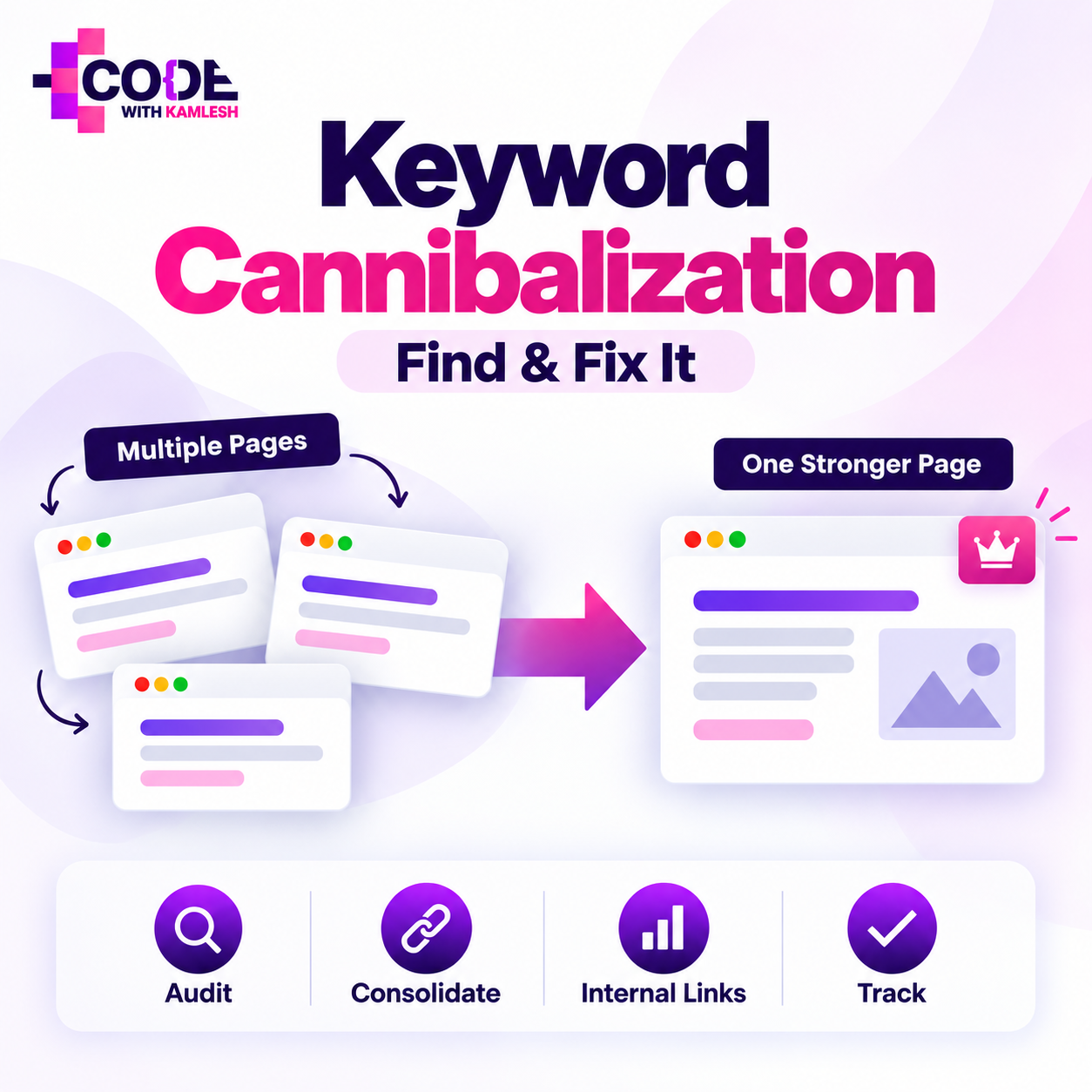
Publishing more content is often considered one of the safest ways to grow organic traffic. You identify relevant keywords, create useful pages around them, optimize those pages, build internal links, and wait for Google to reward the effort.
But there is a problem that appears when a website keeps growing.
Sometimes, instead of helping your SEO, new content begins competing with content you already have.
You may have written one article two years ago, another updated guide last year, a service page targeting a similar keyword, and perhaps a category page covering almost the same search intent. Eventually, several pages from your own website start trying to rank for the same or closely related searches.
This situation is commonly known as keyword cannibalization.
Keyword cannibalization can make SEO unnecessarily complicated because the competition is no longer only between your website and your competitors. In certain situations, your own URLs begin competing with each other.
However, there is an important point many SEO discussions miss: two pages ranking for the same keyword does not automatically mean you have a problem.
The real question is whether those pages are serving different search intents and generating useful visibility, or whether they are weakening each other's ability to perform.
In this guide, we will understand what keyword cannibalization actually means, why it happens, how to identify it using real SEO data, and most importantly, how to fix it without accidentally damaging existing rankings.
What Is Keyword Cannibalization?
Keyword cannibalization occurs when two or more pages on the same website target substantially the same keyword, topic, and search intent in a way that negatively affects organic performance.
Consider a digital marketing website that has the following pages:
- /seo-services-indore/
- /best-seo-company-indore/
- /professional-seo-services-indore/
- /seo-agency-indore/
At first glance, these pages may look different because each one targets a slightly different keyword variation.
But from a searcher's perspective, the intent may be almost identical.
Someone searching for:
SEO company in Indore
and someone searching for:
SEO services in Indore
may ultimately be looking for the same thing: a company that can provide SEO services.
If four landing pages are essentially answering that same need with nearly identical content, Google may have difficulty identifying which URL should be treated as the strongest result.
One week Page A might rank.
Another week Page B may replace it.
Later Page C may appear.
Instead of building one powerful page with strong relevance, backlinks, internal links, engagement data, and topical authority, the website may be distributing those signals across several competing URLs.
That is where keyword cannibalization becomes a genuine SEO issue.
If you are still developing your keyword strategy, understanding what keywords mean in SEO is important because proper keyword mapping is one of the easiest ways to prevent cannibalization before it starts.
Keyword Cannibalization Does Not Simply Mean Multiple Pages Ranking
This distinction is extremely important.
Many website owners open Google Search Console, notice that two URLs receive impressions for the same keyword, and immediately assume something is wrong.
That is not always true.
A website can legitimately have several pages ranking for the same query.
Imagine a website has:
Page 1: Complete SEO Guide
Page 2: SEO Audit Tool
Both pages might appear for searches related to SEO audits.
However, the intent behind each page is different.
One provides educational information.
The other provides a tool.
If both pages attract relevant organic traffic and satisfy different user needs, there may be nothing to fix.
Ahrefs makes the same distinction in its explanation of keyword cannibalization: multiple pages ranking for the same keyword only become a real problem when their overlap hurts the website's overall organic performance.
Therefore, do not treat keyword overlap as an automatic SEO emergency.
The right question is:
Would your website perform better if these pages were consolidated, repositioned, or differentiated?
If the answer is yes, you probably have a cannibalization issue worth addressing.
Why Keyword Cannibalization Happens
Keyword cannibalization is rarely created intentionally.
Most websites develop it gradually.
A site may start with twenty pages and eventually grow to hundreds or thousands. Different writers join the team, old keyword research documents get forgotten, content calendars change, and previously published pages are not checked before new articles are created.
Over time, topical overlap becomes almost unavoidable.
Here are some of the most common reasons.
1. Creating Content Without Keyword Mapping
Keyword mapping means assigning a primary keyword or search intent to a specific URL.
Without a keyword map, a content team may unknowingly publish several articles targeting the same subject.
For example:
- How to Build Backlinks
- Backlink Building Guide
- How to Get Quality Backlinks
- Best Ways to Build Backlinks
- Link Building Strategies
These could potentially become valuable separate articles.
But if every article explains the same basic backlink-building strategies for the same audience, you have created five versions of essentially the same page.
A simple keyword map can prevent this problem.
2. Publishing Similar Blog Posts Over Time
This is common on websites that have been publishing regularly for several years.
Imagine you published:
SEO Checklist for 2024
The following year you publish:
SEO Checklist for 2025
Then:
Complete SEO Checklist
Then:
Ultimate SEO Checklist for Beginners
Unless these pages have genuinely different purposes, they may gradually begin competing for the same queries.
Older blogs are often forgotten while new content keeps getting added.
That is why content audits should be part of an ongoing SEO strategy.
3. Similar Service Pages
Local businesses frequently experience keyword cannibalization because service landing pages are created aggressively.
A company might have:
- SEO Agency Indore
- SEO Company Indore
- SEO Expert Indore
- SEO Consultant Indore
- SEO Services Indore
Creating these pages solely because keyword research tools show separate search volumes is risky.
Google has become far better at understanding semantic similarity and search intent.
Five keyword phrases do not necessarily require five landing pages.
Sometimes one comprehensive landing page can rank for hundreds of related keyword variations.
4. Category, Product, and Filter Pages
E-commerce websites are particularly vulnerable to this issue.
Suppose an online store sells running shoes.
It may generate URLs like:
- /running-shoes/
- /mens-running-shoes/
- /running-shoes-men/
- /shoes/?category=running
- /running-shoes/?sort=popular
Some URLs may be intentionally different, while others may simply be variations created by filters, tracking parameters, sorting systems, or CMS settings.
If search engines can crawl and index all of them, they may encounter highly similar pages.
This becomes less of a classic keyword strategy problem and more of a combination of duplication, crawl management, and canonicalization.
5. Poor Internal Linking Structure
Internal links tell search engines how different pages within your website relate to one another.
If ten different articles use the anchor text technical SEO guide, but those links point to three different pages, your site architecture sends mixed signals.
One page should normally become the primary resource for a particular intent.
Supporting articles can then link toward that resource.
This pillar-and-cluster model creates a much clearer hierarchy.
A well-planned on-page SEO strategy should therefore include internal linking, content hierarchy, search intent, headings, metadata, and page-level keyword targeting rather than treating each element separately.
Why Keyword Cannibalization Can Hurt SEO
Keyword cannibalization does not always cause a dramatic ranking collapse.
Sometimes the damage is subtle.
Your rankings may remain reasonable but never reach their full potential.
That is why the issue can remain unnoticed for months.
Authority Gets Divided
Imagine you have two very similar articles.
Page A receives 12 backlinks.
Page B receives 9 backlinks.
Both contain useful information and both receive internal links.
Instead of having one extremely strong resource with 21 relevant backlinks and a stronger internal linking profile, your authority is distributed across two pages.
Consolidating them may create a much stronger SEO asset when the pages genuinely serve the same intent.
Google May Rank the Wrong Page
One of the clearest signs of cannibalization is when Google ranks a page you did not intend to rank.
Suppose you have:
Product Page: SEO Audit Software
and
Blog Post: What Is an SEO Audit?
For a commercial keyword such as:
SEO audit software
you want the product page to appear.
But if your blog post has stronger links and stronger historical authority, Google may rank the informational article instead.
Traffic still arrives, but the wrong page receives it.
That can reduce conversions because the informational blog post was not designed to satisfy commercial intent.
Rankings May Constantly Switch Between URLs
This is often called URL swapping or ranking fluctuation.
Suppose you monitor a keyword for several weeks.
Monday:
Page A ranks #8.
Thursday:
Page B ranks #11.
Next week:
Page A returns at #9.
Then Page C appears at #13.
These movements do not automatically prove cannibalization, but repeated URL switching between highly similar pages is worth investigating.
It can indicate that Google does not see a clearly dominant page for the query.
Internal Link Equity Gets Split
Internal PageRank is one of the most controllable elements of SEO.
Your homepage, high-performing blog posts, category pages, and other authoritative URLs can distribute authority through internal links.
But if your internal linking strategy points to several pages targeting the same intent, that authority becomes fragmented.
Instead of telling Google:
"This is our main page about this subject."
you are effectively saying:
"These three pages might all be important."
That ambiguity can weaken your site structure.
Crawl Resources Can Be Wasted
On smaller websites, crawl budget usually is not a serious limitation.
However, large e-commerce websites, marketplaces, publishers, directories, and enterprise sites can generate thousands or even millions of URLs.
Duplicate filters, archives, tags, parameter pages, pagination variants, and similar landing pages may cause search crawlers to spend resources processing URLs that provide little unique value.
A clean architecture makes crawling and indexing more efficient.
How to Find Keyword Cannibalization
Finding cannibalization should be based on data, not assumptions.
Do not merge pages simply because their titles look similar.
Start by identifying overlapping URLs and then evaluate search intent, rankings, traffic, backlinks, and conversions.
Here are several effective methods.
Method 1: Use Google Search Console
Google Search Console is one of the best places to start because it shows actual search performance from your website.
Open:
Google Search Console → Performance → Search Results
Choose a query you want to investigate.
Then open the Pages tab.
You will see which URLs are receiving impressions and clicks for that search query.
Suppose the query is:
technical SEO audit
and you see:
- /technical-seo-guide/
- /seo-audit-guide/
- /technical-seo-audit-services/
Do not immediately conclude that all three are cannibalizing each other.
Examine them carefully.
Ask:
Do these pages satisfy the same intent?
Are they ranking during the same period?
Is one clearly stronger?
Is Google repeatedly switching URLs?
Are commercial and informational pages being mixed?
This analysis provides far more value than simply looking for duplicate keywords.
Method 2: Create a Query-to-URL Report
For larger websites, exporting Search Console data into Google Sheets, Looker Studio, Excel, or an SEO platform can reveal patterns much faster.
Build a table containing:
QueryURLClicksImpressionsCTRPosition
keyword research
Page A
220
6,500
3.38%
7.4
keyword research
Page B
95
4,100
2.31%
10.2
keyword research
Page C
31
1,900
1.63%
18.5
Now investigate keywords associated with multiple URLs.
Focus especially on queries where two pages:
- have comparable impressions,
- frequently change positions,
- serve similar intent,
- and neither URL performs particularly strongly.
These are better cannibalization candidates than situations where one page dominates and another occasionally receives a few impressions.
Method 3: Perform a Site Search
You can also search Google using:
site:example.com "target keyword"
This will show pages from your domain associated with the topic.
For example:
site:example.com "local SEO"
You may discover old blogs, forgotten landing pages, category pages, tag archives, or other URLs targeting related themes.
This method is useful for discovery, but it should not be your only diagnostic tool.
Search operators show pages Google associates with a topic; they do not provide enough performance data to prove cannibalization.
Use them as a starting point, then investigate the pages using Search Console and your SEO tools.
Method 4: Use SEO Tools
Platforms such as Ahrefs, Semrush, SE Ranking, or similar SEO suites make cannibalization research easier.
Export organic keyword rankings and organize them by keyword.
Then identify keywords associated with multiple ranking URLs.
For each case, check:
- Current position
- Historical position
- Ranking URL history
- Organic traffic
- Backlinks
- Referring domains
- Search intent
- Page type
Historical data is especially useful.
If two pages repeatedly replace each other in search results, you have stronger evidence that Google is struggling to choose between them.
Method 5: Conduct a Content Audit
Not every cannibalization issue appears clearly in ranking tools.
Sometimes pages are so weak that none rank well enough to attract attention.
A content audit helps uncover this hidden overlap.
Create a spreadsheet containing:
- URL
- Page title
- Primary keyword
- Secondary keywords
- Search intent
- Content type
- Organic traffic
- Backlinks
- Conversion goal
- Last updated date
Then group URLs by topic.
You may quickly notice clusters of similar articles.
For example:
Cluster: Local SEO
- What Is Local SEO?
- Complete Local SEO Guide
- Local SEO Tips
- Local SEO Strategy
- How Local SEO Works
If every page has almost the same search intent, consolidation may improve the overall content cluster.
How to Determine Whether Cannibalization Actually Needs Fixing
This is probably the most important part of the process.
You should not "fix" every instance of keyword overlap.
Before changing anything, ask five questions.
1. Are the Search Intents the Same?
Search intent usually falls into categories such as:
- Informational
- Commercial investigation
- Transactional
- Navigational
- Local
Two pages can rank for the same keyword while serving different intents.
That is perfectly acceptable in many cases.
2. Are Both Pages Performing Well?
Suppose two pages rank #1 and #2 for an important keyword.
Both receive significant traffic.
Both generate conversions.
Why would you merge them?
Owning multiple positions in the SERP can actually increase visibility.
Do not solve a problem that does not exist.
3. Is Google Ranking the Wrong Page?
If Google consistently ranks an informational page for a keyword where your commercial landing page should rank, intervention may be necessary.
You may need to:
- strengthen the commercial page,
- adjust internal links,
- modify anchor text,
- refine content,
- or reduce overlap.
4. Are Rankings Unstable?
Frequent URL switching can indicate unclear relevance.
Check several months of data rather than making a decision based on one week.
SEO decisions based on short-term fluctuations often create unnecessary problems.
5. Would Consolidation Create a Better Page?
Ask yourself:
If I combine these pages, will the resulting page be substantially more useful?
If yes, consolidation may be the strongest solution.
If each page covers a genuinely different subtopic, differentiation might make more sense.
How to Fix Keyword Cannibalization
There is no single solution.
The correct fix depends on why the overlap exists.
Here are the most effective approaches.
1. Merge Similar Pages
This is often the best solution when two or more pages have essentially the same intent.
Suppose you have:
Page A: How to Do Keyword Research
Page B: Keyword Research Guide for Beginners
Both contain similar sections.
Page A has stronger backlinks.
Page B has fresher content.
Instead of keeping both pages, create one comprehensive resource.
Combine:
- the strongest sections,
- original examples,
- useful visuals,
- keyword data,
- FAQs,
- expert insights,
- internal links.
Choose the strongest URL and publish the improved article there.
Then permanently redirect the weaker URL to the primary page when appropriate.
This consolidates users and many signals around one resource.
2. Use 301 Redirects
A 301 redirect is appropriate when an old or redundant URL no longer needs to exist independently.
For example:
/old-seo-guide/
may redirect to:
/complete-seo-guide/
This approach is useful when:
- content has been consolidated,
- an old page is obsolete,
- duplicate landing pages were created,
- URLs have changed,
- two pages serve the same purpose.
Do not redirect unrelated content simply to transfer authority.
The destination should be contextually relevant.
3. Improve Content Differentiation
Sometimes you need both pages.
In that case, give each one a clear job.
Imagine these pages:
Page A: What Is Technical SEO?
Page B: Technical SEO Audit Checklist
Instead of merging them, differentiate their intent.
Page A can focus on:
- definition,
- importance,
- crawling,
- indexing,
- architecture,
- technical fundamentals.
Page B can focus on:
- audit process,
- checklist,
- tools,
- errors,
- prioritization,
- implementation.
Now Google and users can understand why both pages exist.
4. Rework Keyword Targeting
Sometimes cannibalization exists because your SEO strategy assigned the same primary keyword to several pages.
Re-map them.
For example:
Instead of:
Page A: Content Marketing Strategy
Page B: Content Marketing Strategy Tips
change the targeting to:
Page A: Content Marketing Strategy
Page B: Content Distribution Strategy
Then rewrite Page B around the new intent rather than simply changing its title tag.
Real differentiation must exist inside the content.
5. Strengthen Internal Linking
Once you identify the page you want to rank, strengthen its internal authority.
Find related pages and link to the preferred URL using descriptive anchor text.
For example:
Instead of linking the phrase:
click here
use:
technical SEO audit guide
where contextually appropriate.
Also review internal links currently pointing to competing URLs.
Redirecting internal relevance toward the preferred page can make your architecture much clearer.
6. Use Canonical Tags Carefully
Canonical tags are useful when multiple similar URLs must remain accessible but one version should be treated as the preferred URL.
Google explains in its canonicalization documentation that redirects, rel="canonical" annotations, and sitemap signals can help indicate which URL should be treated as the canonical version.
For example:
example.com/product?color=black
may have a canonical pointing toward:
example.com/product
when those pages are essentially duplicate representations of the same content.
However, canonical tags are not a universal solution for keyword cannibalization.
If two unique blog posts compete because they target the same intent, placing a canonical tag on one page without fixing the content strategy is usually not the best approach.
Use canonicals primarily for duplicate or near-duplicate URL situations.
7. Use Noindex Only When Appropriate
Sometimes a page needs to exist for users but does not need to appear in search results.
Examples might include:
- certain internal search pages,
- thin utility pages,
- particular filtered pages,
- private or account-related areas where indexing provides no value.
In those situations, noindex may be appropriate.
But do not use noindex as your default cannibalization fix.
If a page has valuable backlinks, traffic, or content, merging or repositioning it may be far better.
Keyword Cannibalization Example
Consider an SEO agency with three articles:
Article 1: SEO Audit Guide
Article 2: Complete Website SEO Audit
Article 3: How to Perform an SEO Audit
All three target:
SEO audit
All three contain:
- technical checks,
- content checks,
- backlink checks,
- indexing checks,
- site speed,
- mobile usability.
Search Console shows:
Article 1 — average position 11
Article 2 — average position 14
Article 3 — average position 16
Google keeps changing which article appears.
Instead of trying to optimize all three individually, the agency could combine the best information into:
Complete SEO Audit Guide: Step-by-Step Checklist
Keep the strongest URL.
Redirect the other two.
Update internal links.
Improve the title and introduction.
Add new screenshots and examples.
Expand missing sections.
The new consolidated page may now have stronger topical depth, stronger internal authority, and consolidated backlinks.
That is a logical cannibalization fix.
Common Keyword Cannibalization Mistakes
Fixing cannibalization incorrectly can cause more damage than leaving it alone.
Avoid these mistakes.
Deleting Pages Without Checking Backlinks
Never delete a page simply because it overlaps another page.
First check:
- backlinks,
- referring domains,
- traffic,
- conversions,
- rankings,
- internal links.
A supposedly "weak" page may have valuable link equity.
Merge and redirect it appropriately when needed.
Changing URLs Unnecessarily
URLs should not be changed casually.
If the current URL is clean and already indexed, changing it simply to include a different keyword may create unnecessary redirects and temporary ranking disruption.
Optimize content before rewriting your URL structure.
Using Canonical Tags Everywhere
Canonical tags solve specific duplicate-content situations.
They do not replace proper site architecture.
If you have ten poorly planned landing pages targeting the same service, adding canonicals is not the same as creating a clear content strategy.
Assuming Keyword Similarity Equals Cannibalization
Keywords such as:
SEO tools
and
free SEO tools
are similar.
But their intent may differ.
Likewise:
what is technical SEO
and
technical SEO services
share a topic but target very different users.
Always analyze search intent before consolidating content.
How to Prevent Keyword Cannibalization
Preventing cannibalization is easier than cleaning it up later.
The strongest prevention strategy is a well-maintained keyword and content map.
Before publishing any page, record:
Primary Keyword:
The main query the page targets.
Secondary Keywords:
Closely related supporting phrases.
Search Intent:
Informational, transactional, commercial, local, etc.
Page Type:
Blog, service page, category, product, guide.
Target URL:
The permanent page assigned to this topic.
Before creating a new article, search the map.
Ask:
Do we already have a page targeting this intent?
If yes, you may be better off updating the existing page rather than publishing another one.
Build Topic Clusters Instead of Duplicate Articles
A strong website does not need ten articles answering the same question.
It needs a structured topic cluster.
For example:
Main Pillar
Complete SEO Guide
Supporting Articles
- Keyword Research Guide
- On-Page SEO Guide
- Technical SEO Guide
- Link Building Guide
- Local SEO Guide
- SEO Audit Guide
Each supporting article serves a specific search intent while connecting back to the broader pillar.
This approach builds topical coverage without unnecessary overlap.
Make Content Audits Routine
Keyword cannibalization is not something you fix once and forget.
Websites continuously evolve.
New content gets published.
Products change.
Services expand.
Old articles become outdated.
Search intent shifts.
For active content websites, conduct a structured review every few months.
Look for:
- declining pages,
- overlapping topics,
- outdated articles,
- multiple URLs ranking for one query,
- pages with impressions but few clicks,
- thin content,
- orphan pages,
- outdated internal links.
Sometimes updating an existing article will create far more SEO value than publishing another new one.
Final Thoughts
Keyword cannibalization is often misunderstood.
The problem is not simply that multiple URLs rank for the same keyword.
The real problem occurs when multiple pages with substantially similar search intent compete in a way that prevents your website from reaching its full organic potential.
That distinction matters.
You should not merge content simply because two URLs share a keyword.
Instead, examine the complete picture:
- search intent,
- organic traffic,
- ranking history,
- URL switching,
- backlinks,
- internal links,
- conversions,
- topical relevance.
If two pages serve the same purpose, consolidating them into one authoritative resource may be the best solution.
If they serve different purposes, clarify those differences through better content, titles, internal links, and keyword targeting.
If duplicate technical URLs are causing the problem, canonicalization, redirects, indexing controls, or improved site architecture may be required.
Most importantly, stop treating every keyword as if it requires a separate page.
Modern SEO works far better when content is organized around topics, intent, expertise, and useful user experiences rather than endless variations of nearly identical keywords.
A website with 100 clearly differentiated, authoritative pages can often build stronger organic visibility than a website with 500 overlapping pages.
Before publishing your next article, ask one simple question:
Do we need another page for this topic, or can we make an existing page significantly better?
That single question can prevent years of content overlap and create a much cleaner SEO architecture.
When each URL has a clearly defined purpose, internal links support the right pages, and content is mapped around genuine search intent, search engines have a much easier time understanding which page should appear for which query.
And ultimately, that is what fixing keyword cannibalization is really about: not reducing the number of pages for the sake of it, but making every page on your website earn its place.
© 2026 Code With Kamlesh. All Rights Reserved.
Kamlesh Singad
Founder, Code With Kamlesh. Helped 200+ businesses scale through SEO, Google Ads & Social Media. 8+ years of digital marketing experience.
Comments (0)
No comments yet. Be the first to comment!